


Display VBA Selection Type (Range, Chart, Picture, etc.)
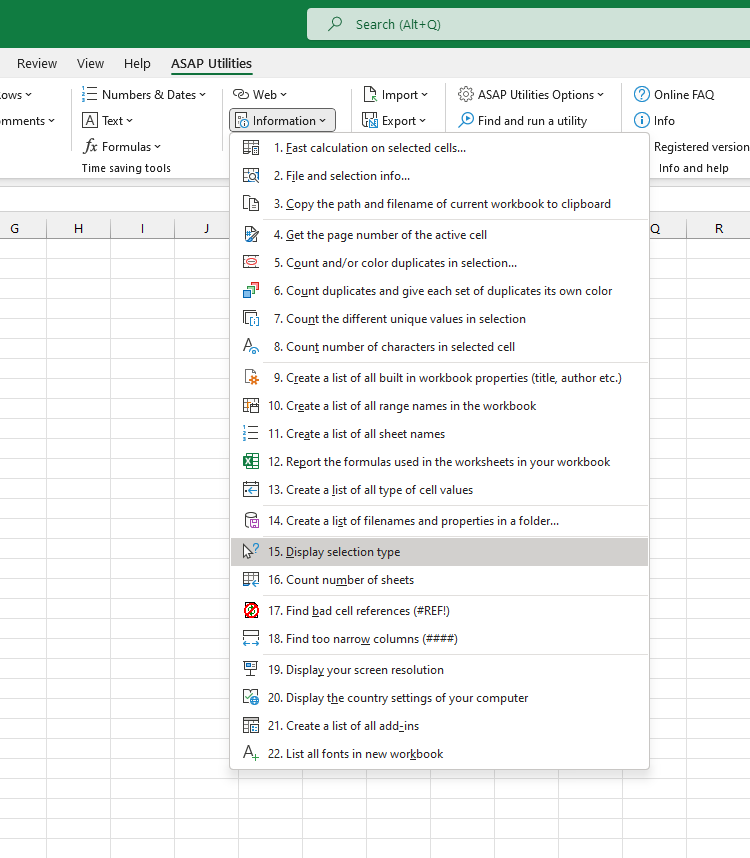
This tool shows you the VBA type of the currently selected object in your Excel workbook.
It uses VBA's TypeName(Selection) function to determine whether the selection is a range, chart, picture, shape, control, or another object.
This is especially useful when:
- You are writing or debugging VBA macros and need to know the exact object type
- You are working with shapes, charts, controls, or external elements
- You want to understand how Excel treats your selection in code
The returned type name is always in English, even if you use Excel in another language.
Examples of selection types:
- Range - a selection of worksheet cells
- Chart - a chart object
- Series - a data series inside a chart
- Axis - an axis inside a chart
- LegendEntry - a legend item
- DataLabel - a label inside a chart
- Picture - an inserted image
- Rectangle, Oval, TextBox - shape objects
- GroupObject - a grouped shape
- Button, DropDown, ListBox, CheckBox - form controls
This tool helps you identify exactly what you've selected, which can help when writing or editing macros or debugging issues.
Starting this tool
Specify a Keyboard Shortcut: ASAP Utilities › My Tools & Shortcuts › Manage My Tools & Shortcuts...
Additional keywords to help you find this tool:
selection type, Excel selection type, VBA selection type, identify Excel selection, Excel TypeName, find object type, what is selected, determine selection type, VBA object type, Excel range or chart selection, detect selection type, recognize selected object, find type of selected item, identify Excel object, check selection type
Tip:Alt+P for the previous tool.
Tip: Alt+N for the next tool.

Save Time in Excel. The Easy Way.
ASAP Utilities helps you save time and do what Excel alone can't.
You can get started right away. No training needed.
Most users start with a few tools. Many end up using ASAP Utilities daily.
Used by teams in 28,500+ organizations.
Get Started with ASAP Utilities
Start saving time in Excel with practical tools you can use right away.
-
No sign-up required.
-
-
Free 90-day trial