


Export Selected Chart or Range as Image (PNG, JPG, EMF, etc.)...
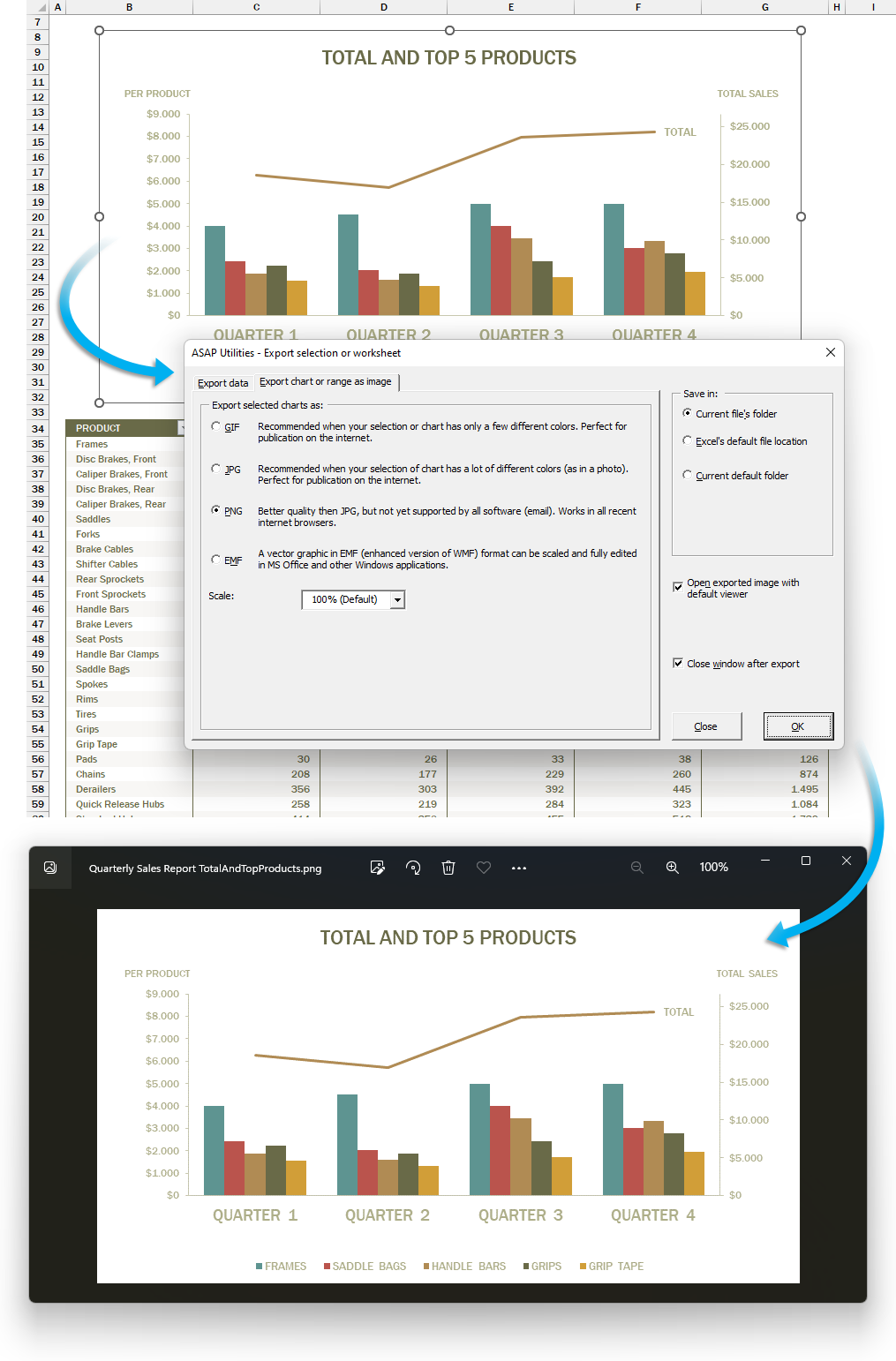
This tool lets you export a selected chart or cell range as an image file.
You can choose from the following formats:
- GIF: Good for simple visuals with few colors. Small file size, ideal for basic web graphics.
- JPG: Best for colorful or photo-like charts. Smaller file size, widely supported.
- PNG: Best overall choice. High quality and works almost everywhere.
- EMF: Best for resizing without losing sharpness. Editable in Microsoft Office.
Your last used settings are remembered automatically.
Use this tool when you want to:
- Save part of your worksheet or chart as an image
- Use Excel content in other apps or documents that accept image formats
- Prepare visuals for presentations, documentation, or websites
Note:
Due to Excel's internal image size limits (see Microsoft KB185001), large charts or ranges may be cut off or show incorrect colors.
If that happens, export as an EMF file to preserve full detail and sharpness.
Starting this tool
Specify a Keyboard Shortcut: ASAP Utilities › My Tools & Shortcuts › Manage My Tools & Shortcuts...
Additional keywords to help you find this tool:
export chart as image, save Excel chart as PNG, convert Excel range to JPG, Excel chart to image file, save Excel graph for blog, export selection as picture, Excel export to JPG PNG GIF EMF, use Excel chart on website, Excel screenshot alternative, save Excel data as graphic, export range as picture, Excel graph to high quality image, insert Excel chart in PowerPoint as image, Excel chart to EMF scalable vector
Tip:Alt+P for the previous tool.
Tip: Alt+N for the next tool.

Save Time in Excel. The Easy Way.
ASAP Utilities helps you save time and do what Excel alone can't.
You can get started right away. No training needed.
Most users start with a few tools. Many end up using ASAP Utilities daily.
Used by teams in 28,500+ organizations.
Get Started with ASAP Utilities
Start saving time in Excel with practical tools you can use right away.
-
No sign-up required.
-
-
Free 90-day trial