


Advanced Find and Replace...
Easily search and replace text within a selected range, across the entire worksheet, or in all worksheets at once.
This tool provides enhanced functionality compared to Excel's standard Find and Replace features.
Search results are displayed in a list, allowing you to jump directly to a cell. You can replace matches one by one or replace them all at once.
Key advantages over Excel's default Find and Replace:
- Match entire words or phrases only, avoiding unintended partial replacements (e.g., replacing Lake without affecting Lakeland or Blake)
- Find and replace long text values in Excel without encountering the 'Formula is too long' error or struggling with Excel's Find and Replace tool when it fails to locate them due to length restrictions.
-
Easier to find and replace special characters such as:
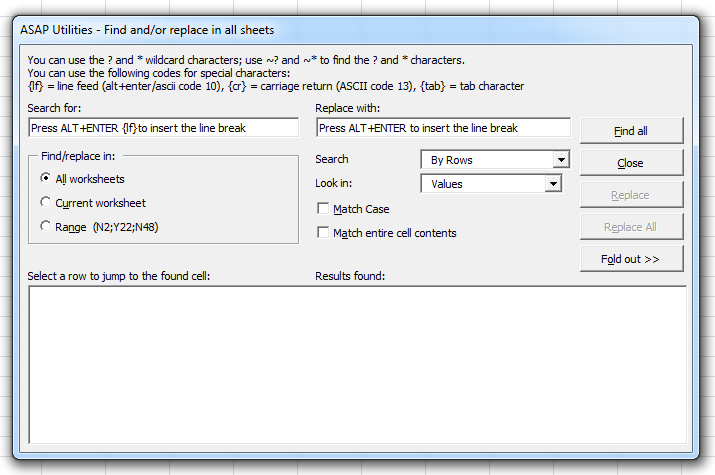
- Use {lf} to find and replace line feeds (Alt+Enter / ASCII code 10)
- Use {cr} to find and replace carriage returns (ASCII code 13)
- Use {tab} to find and replace tab characters (ASCII code 9)
Customizable search options:
- Find in all worksheets, current worksheet, or selected range
- Search by rows or columns
- Look in formulas or values
- Match case
- Match entire cell contents
- Match entire words or phrases only
By default, you can launch this tool using the Control+Alt+H shortcut.
Historical Note:
ASAP Utilities introduced search across the entire workbook at once in 1999, long before Excel added this feature in 2007.
Starting this tool
Click › Range › 1. Advanced Find and Replace...
Specify a Keyboard Shortcut: ASAP Utilities › My Tools & Shortcuts › Manage My Tools & Shortcuts...
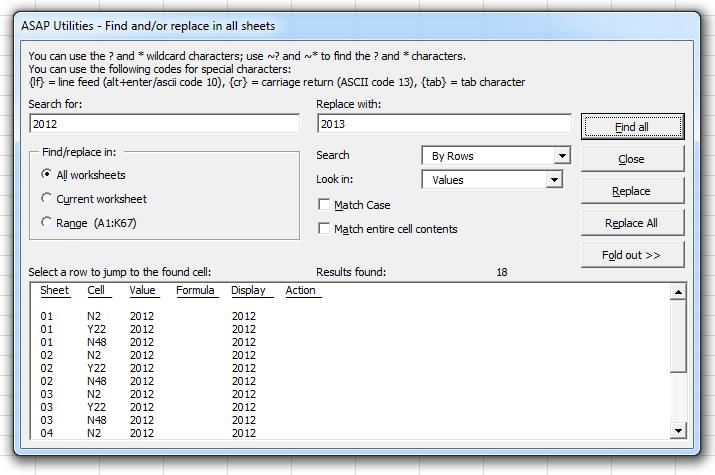
Example screenshot: 2 (Here's the English version.)
Additional keywords to help you find this tool:
Find and replace whole words only, Match entire words, Find and replace multiple worksheets, Match entire words, Find carriage returns in Excel, Replace line breaks, Remove tab characters in Excel, Fix Excel formula too long error, Excel find and replace not working, Search long text values in Excel, Replace text limit workaround, Find and replace with wildcards in Excel, Search for Alt+Enter in Excel
Tip:Alt+P for the previous tool.
Tip: Alt+N for the next tool.

Save Time in Excel. The Easy Way.
ASAP Utilities helps you save time and do what Excel alone can't.
You can get started right away. No training needed.
Most users start with a few tools. Many end up using ASAP Utilities daily.
Used by teams in 28,500+ organizations.
Get Started with ASAP Utilities
Start saving time in Excel with practical tools you can use right away.
-
No sign-up required.
-
-
Free 90-day trial