


Wrap Text in Selected Cells
This tool enables text wrapping in the selected cells, allowing long content or manual line breaks to be displayed on multiple lines within each cell so that you can see all of it.
This is useful when:
- Making long text entries easier to read
- Improving the layout for printing or exporting
- Displaying multi-line data without resizing columns
Unlike Excel's built-in Wrap Text button, which toggles wrapping based on the active cell in your selection, this tool always enables wrapping regardless of which cell is active. This makes it more predictable and saves time, especially when working with mixed-format selections.
Another benefit of having this tool in ASAP Utilities is that you can assign a shortcut to it via 'My Tools & Shortcut Keys' for accessibility and even faster access.
Historical Note:
ASAP Utilities introduced this in 1999, years before Excel added a "Wrap Text" button to the ribbon in Excel 2007. Until then, it could only be set via the cell's formatting properties (Format > Format Cells > Alignment > Wrap Text).
Starting this tool
Specify a Keyboard Shortcut: ASAP Utilities › My Tools & Shortcuts › Manage My Tools & Shortcuts...
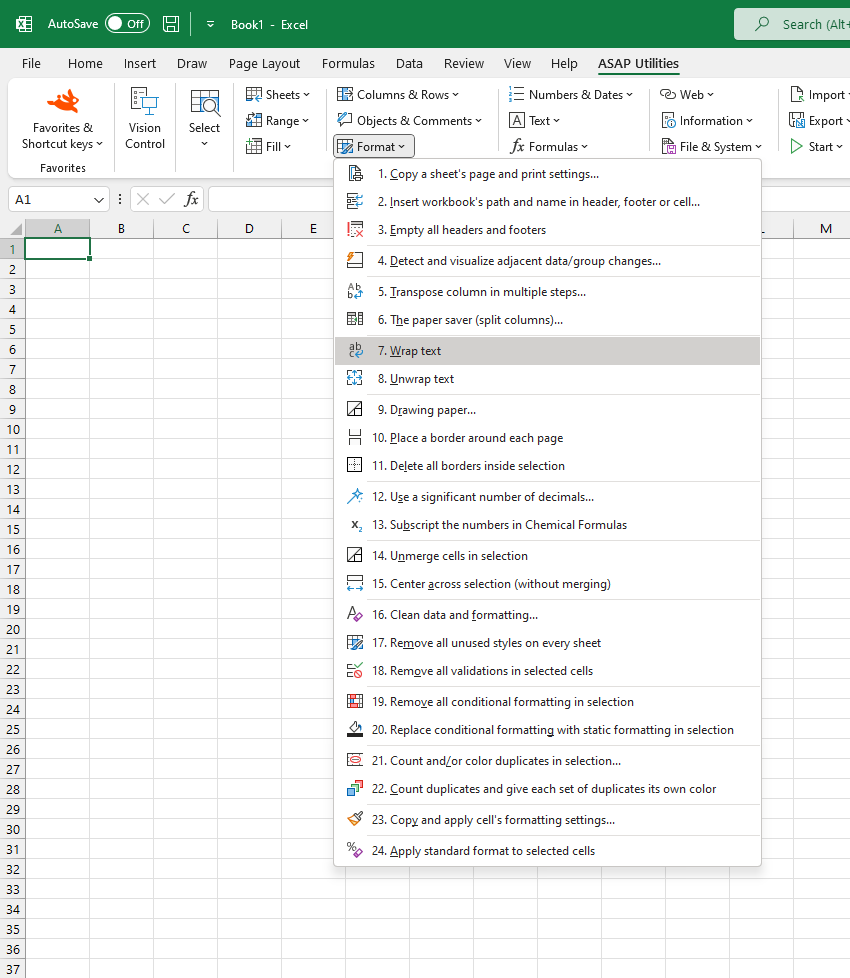
Additional keywords to help you find this tool:
Wrap text shortcut, Wrap cell text, Show all text in cell, Make text wrap, Multiple lines in one cell, Display long text in Excel cell, Cell not showing all text, Auto wrap text, How to wrap text, Enable text wrapping, Line break in cell, Force text to wrap, Wrap long cell content, Wrap text keyboard shortcut, Format cell to wrap text, Wrap text across multiple lines
Tip:Alt+P for the previous tool.
Tip: Alt+N for the next tool.

Save Time in Excel. The Easy Way.
ASAP Utilities helps you save time and do what Excel alone can't.
You can get started right away. No training needed.
Most users start with a few tools. Many end up using ASAP Utilities daily.
Used by teams in 28,500+ organizations.
Get Started with ASAP Utilities
Start saving time in Excel with practical tools you can use right away.
-
No sign-up required.
-
-
Free 90-day trial