


Copy Average of Selected Cells to Clipboard
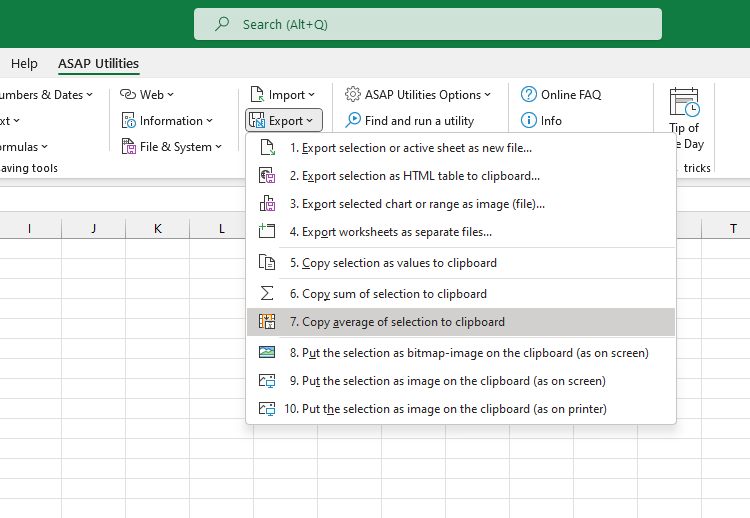
This tool copies the calculated average of the visible cells in your selection directly to the clipboard.
Use this when you want to:
- Get the average of visible values without inserting a formula
- Exclude hidden or filtered-out data from the calculation
- Paste the result into other applications (e.g., Word, Outlook, Teams)
Note:
In 2024, Excel introduced the ability to copy averages from the status bar. However, that average includes values in hidden columns and manually hidden rows. Our tool calculates the average using only visible cells, making it more accurate when working with filtered or partially hidden data.
Starting this tool
Specify a Keyboard Shortcut: ASAP Utilities › My Tools & Shortcuts › Manage My Tools & Shortcuts...
Additional keywords to help you find this tool:
average selected cells, copy average to clipboard, paste average, Excel average visible cells only, exclude hidden rows average, filtered data average, copy average without formula, average visible rows, average from filtered list, quick average calculation, no formula average, average range to clipboard, visible data average only
Tip:Alt+P for the previous tool.
Tip: Alt+N for the next tool.

Save Time in Excel. The Easy Way.
ASAP Utilities helps you save time and do what Excel alone can't.
You can get started right away. No training needed.
Most users start with a few tools. Many end up using ASAP Utilities daily.
Used by teams in 28,500+ organizations.
Get Started with ASAP Utilities
Start saving time in Excel with practical tools you can use right away.
-
No sign-up required.
-
-
Free 90-day trial