


Sort in Random Order
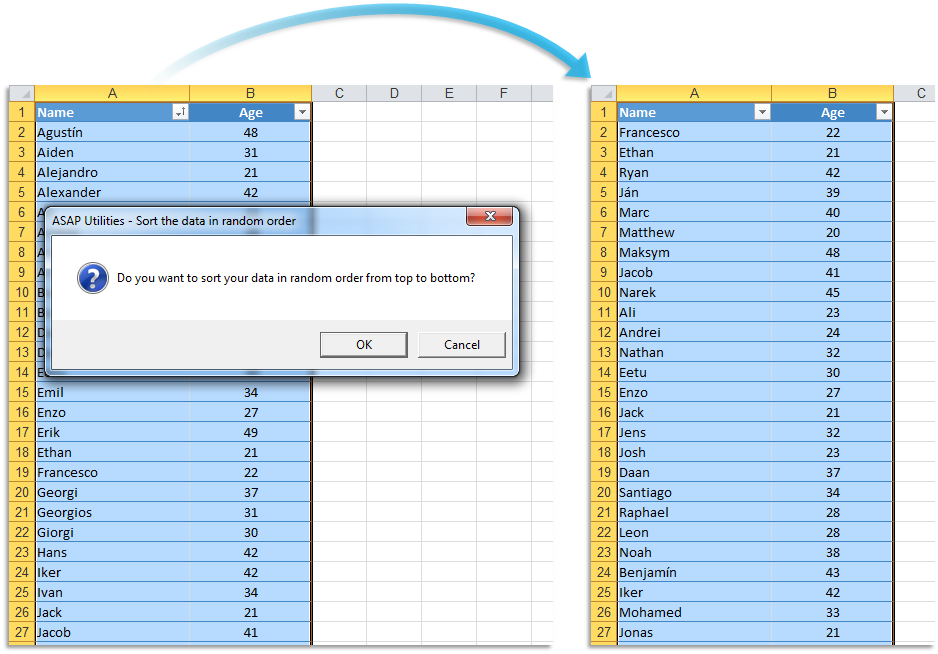
This tool randomly sorts your selected data range from top to bottom.
Use it to randomly order your data for tasks like selecting lottery winners, shuffling competitor order in contests, or even assigning teams. The unbiased rearrangement ensures fairness and makes it easy to randomize any data set.
Starting this tool
Click › Range › 3. Sort in Random Order
Specify a Keyboard Shortcut: ASAP Utilities › My Tools & Shortcuts › Manage My Tools & Shortcuts...
Additional keywords to help you find this tool:
Shuffle data, Randomize selected data, Randomize rows, Shuffle rows, Excel random sort tool, Random order sort, Data randomizer, Shuffle a list
Tip:Alt+P for the previous tool.
Tip: Alt+N for the next tool.

Save Time in Excel. The Easy Way.
ASAP Utilities helps you save time and do what Excel alone can't.
You can get started right away. No training needed.
Most users start with a few tools. Many end up using ASAP Utilities daily.
Used by teams in 28,500+ organizations.
Get Started with ASAP Utilities
Start saving time in Excel with practical tools you can use right away.
-
No sign-up required.
-
-
Free 90-day trial