


Merge Contiguous Range Selections
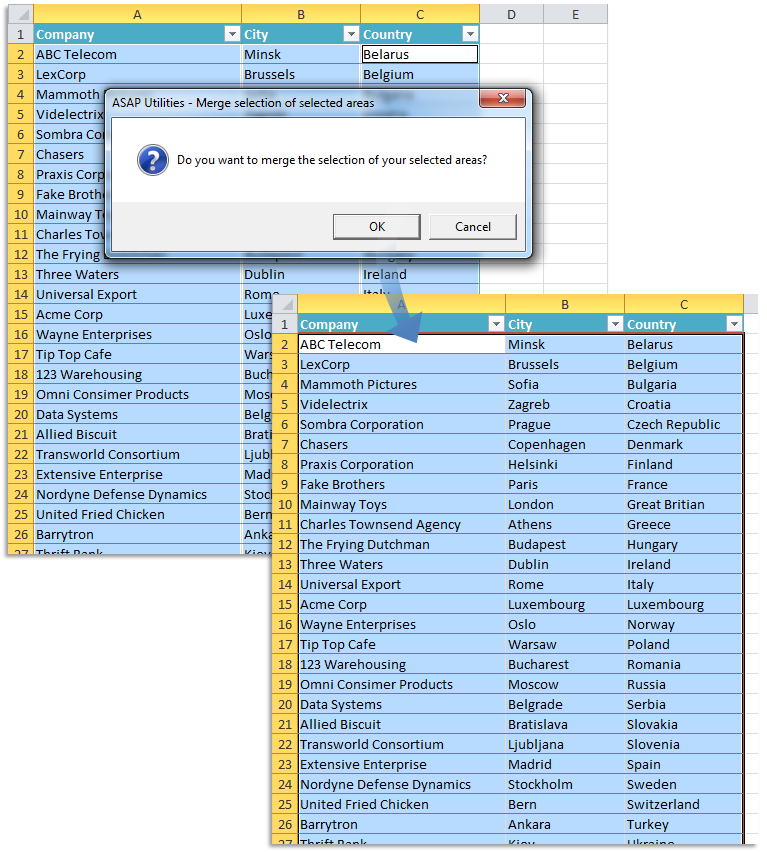
This tool combines contiguous (adjacent) range selections that form a solid block (such as a rectangle or square) into a single continuous selection.
For example, if cells [A10:A25], [B10:B25], and [A25:B50] are selected, this tool will combine them into the continuous range [A10:B50].
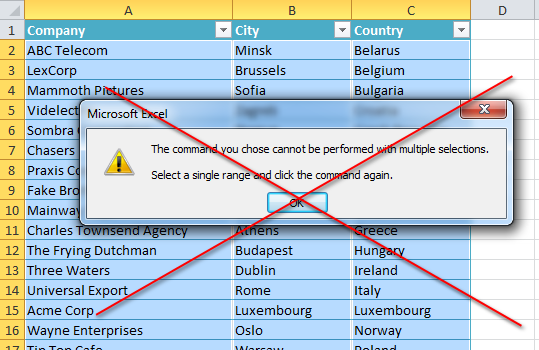
Excel sometimes requires a single continuous range for commands. If you have multiple selections, such a command displays the error "The command you chose cannot be performed with multiple selections. Select a single range and click the command again." and will not work.
Use this tool to combine your adjacent selections into one range selection.
Starting this tool
Specify a Keyboard Shortcut: ASAP Utilities › My Tools & Shortcuts › Manage My Tools & Shortcuts...
Example screenshot: 2 Your selected areas transformed to one single range (Here's the English version.)
Additional keywords to help you find this tool:
Combine contiguous selections, Combine adjacent range selections, Merge contiguous cell ranges, Continuous selection tool, Combine cell selections, Consolidate adjacent ranges, Merge range selections in Excel, Single continuous selection, Excel selection consolidation
Tip:Alt+P for the previous tool.
Tip: Alt+N for the next tool.

Save Time in Excel. The Easy Way.
ASAP Utilities helps you save time and do what Excel alone can't.
You can get started right away. No training needed.
Most users start with a few tools. Many end up using ASAP Utilities daily.
Used by teams in 28,500+ organizations.
Get Started with ASAP Utilities
Start saving time in Excel with practical tools you can use right away.
-
No sign-up required.
-
-
Free 90-day trial