


Remove or Replace Unwanted Characters...
This tool removes or replaces unwanted characters from the values in your selected cells.
You can choose from a wide range of characters, including:
- Letters (a-z, A-Z)
- Numbers (0-9)
- Accented letters (ä, é, ü, etc.)
- Punctuation and symbols (!, %, @, etc.)
- Spaces (standard and nonbreaking)
- Line breaks (Alt+Enter line feed and carriage return)
- Invisible characters
You can:
- Remove the selected characters or replace them with something else.
- Target constants, formulas, or both.
- Quickly toggle character groups with buttons like a-z, A-Z, 0-9, Symbols, Spaces, Invisible, and Line breaks.
- Use the "Invert" option to keep only certain characters and remove the rest.
- Use special codes like {lf}, {cr}, {tab} to insert line feeds, carriage returns, or tabs in the replacement value.
Examples of use:
- Clean up imported data with invisible or special characters.
- Remove all line breaks from your cells.
- Keep only numbers or letters and remove everything else.
- Replace nonbreaking spaces with regular ones.
Your last used settings are remembered automatically.
Starting this tool
Specify a Keyboard Shortcut: ASAP Utilities › My Tools & Shortcuts › Manage My Tools & Shortcuts...
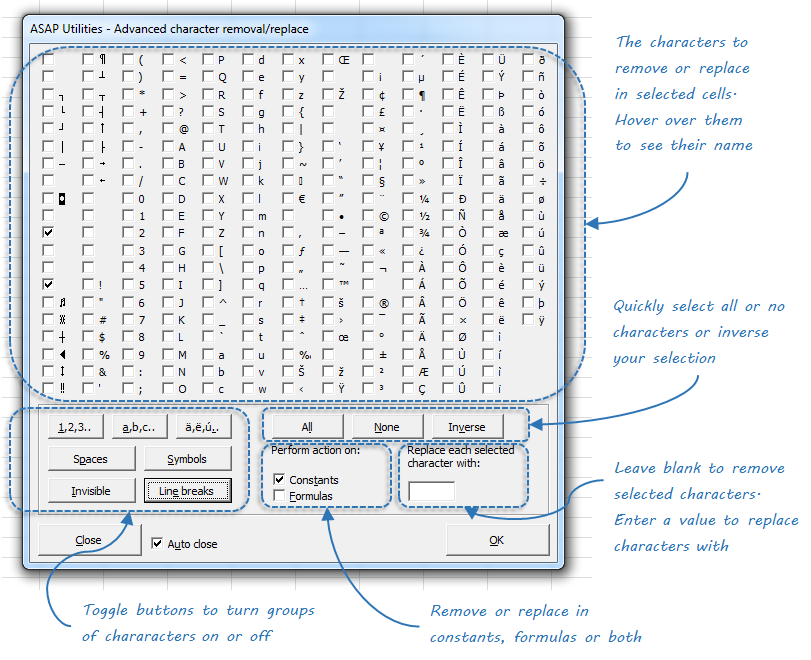
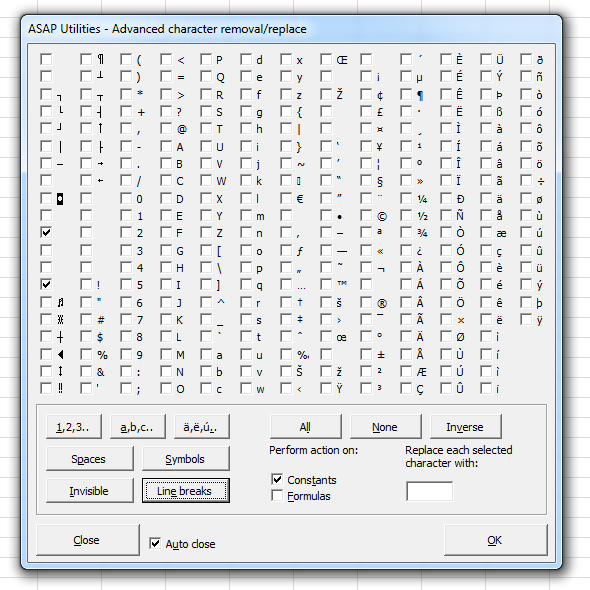
Example screenshot: Remove or replace certain characters (Here's the English version.)
Additional keywords to help you find this tool:
Remove unwanted characters in Excel, Delete special characters from cells, Remove line breaks and carriage returns, Replace characters in cell values, Clean invisible characters, Strip symbols and punctuation, Remove CR LF line breaks, Find and remove non-printable characters, Remove nonbreaking spaces, Clean up messy imported text, Delete alphabet letters from cells, Remove tabs, returns, and special characters, Keep only numbers or letters, Remove all but numbers, Character cleanup tool, Delete hidden characters, Remove all text except digits, Replace line feed with space, Advanced character replace, Remove or replace control characters
Tip:Alt+P for the previous tool.
Tip: Alt+N for the next tool.

Save Time in Excel. The Easy Way.
ASAP Utilities helps you save time and do what Excel alone can't.
You can get started right away. No training needed.
Most users start with a few tools. Many end up using ASAP Utilities daily.
Used by teams in 28,500+ organizations.
Get Started with ASAP Utilities
Start saving time in Excel with practical tools you can use right away.
-
No sign-up required.
-
-
Free 90-day trial