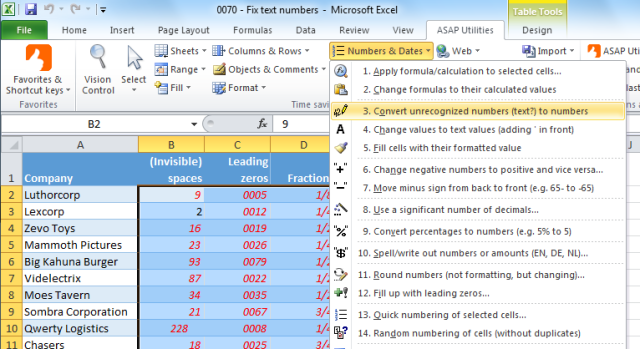
The new version of ASAP Utilities, 4.6.1 has just been released!
A few nice additions have been added and a few bugs were fixed.
We also fixed the startup error that sometimes occurred due to a bug in Excel 2010.
Download ASAP Utilities 4.6.1
View the changes.
Many thanks to everyone who has contributed their feedback and tested the pre-release!
PS.
For the [...]
Posted on September 1st, 2010 by Bastien
Filed under: ASAP Utilities | 1 Comment »
ASAP Utilities version 4.6.0 (June 7, 2010) has just been released!
This new version is released quickly after the previous version. That is because there were a few bugs in two of the most used tools ("Select cells based on content, formatting and more..." and "Export selection or active sheet as new file..."). My apologies for the [...]
Posted on June 8th, 2010 by Bastien
Filed under: ASAP Utilities | 5 Comments »
I'm proud to tell you that the new version of ASAP Utilities, 4.5.9 has just been released!
We have added a few new tools, made several improvements and fixed a few bugs.
Download ASAP Utilities 4.5.9
View the changes.
Many thanks to everyone who has contributed their feedback!
Posted on May 28th, 2010 by Bastien
Filed under: ASAP Utilities | No Comments »
I'm proud to mention that the new version of ASAP Utilities is almost ready!
Based on the requests from many users, we have added several tools that will speed up your work in Excel.
Furthermore we have improved many tools and fixed all known bugs.
You can read what's new and download the pre-release from:
http://www.asap-utilities.com/faq-questions-answers-detail.php?m=224
One of the many [...]
Posted on May 25th, 2010 by Bastien
Filed under: ASAP Utilities | No Comments »
The new version of ASAP Utilities, 4.5.8 has just been released!
We have added a few new tools, made some improvements and fixed a few bugs.
Download ASAP Utilities 4.5.8
View the changes.
Many thanks to everyone who has contributed their feedback!
Posted on March 10th, 2010 by Bastien
Filed under: ASAP Utilities | Comments Off
In standard Excel you can't set the height or with of cells in centimeters or inches. Creating square cells is also difficult because Excel uses different units for the width and height of cells.
Setting the width and height in centimeters or inches can be helpful if you use the Excel for drawing purposes, such as [...]
Posted on February 23rd, 2010 by Bastien
Filed under: ASAP Utilities, how to | 1 Comment »
At this moment ASAP Utilities already contains several tools to manage duplicates.
However a special tool for duplicate records was still missing... until now!
You could already identify or remove duplicated records with a workaround by merging the cell contents into a temporary added column and then use ASAP Utilities' "Conditional row and column select, hide or [...]
Posted on February 18th, 2010 by Bastien
Filed under: ASAP Utilities, how to | 1 Comment »
Many people have asked me the past years if ASAP Utilities has an option to split a table into several sheets. Either per so many rows, or by value. Until recently that wasn't possible, but now it is!. In cooperation with several users we have created a new utility.
In the new version of ASAP Utilities [...]
Posted on February 11th, 2010 by Bastien
Filed under: ASAP Utilities | 5 Comments »
There are few quick methods to remove the line breaks and carriage returns in cells.
By default you might not know an easy and quick way to do this but it is fairly simple, either with just Excel, or with the help of ASAP Utilities.
Let's say we have the following example.
In this case the author has [...]
Posted on January 18th, 2010 by Bastien
Filed under: ASAP Utilities, how to | 3 Comments »
Last month I received the following question:
I need to know how to convert an excel file into a pipe delimited file using the ASAP software.
You can use the following tool to do this:
ASAP Utilities » Export » Export selection or active sheet as new file...
Then choose "CSV (comma separated value) or customer separated" and specify [...]
Posted on January 15th, 2010 by Bastien
Filed under: ASAP Utilities, how to | 3 Comments »