


Version 9.2 - February 11, 2026
February 11, 2026
Designed to simplify your work
We are working with great enthusiasm, for over 25 years already, to ensure that ASAP Utilities continues to evolve and stay one of the world's most useful and popular add-ins for Excel users.
Finished
On February 11, 2026 the new version 9.2 has been released.
New
-
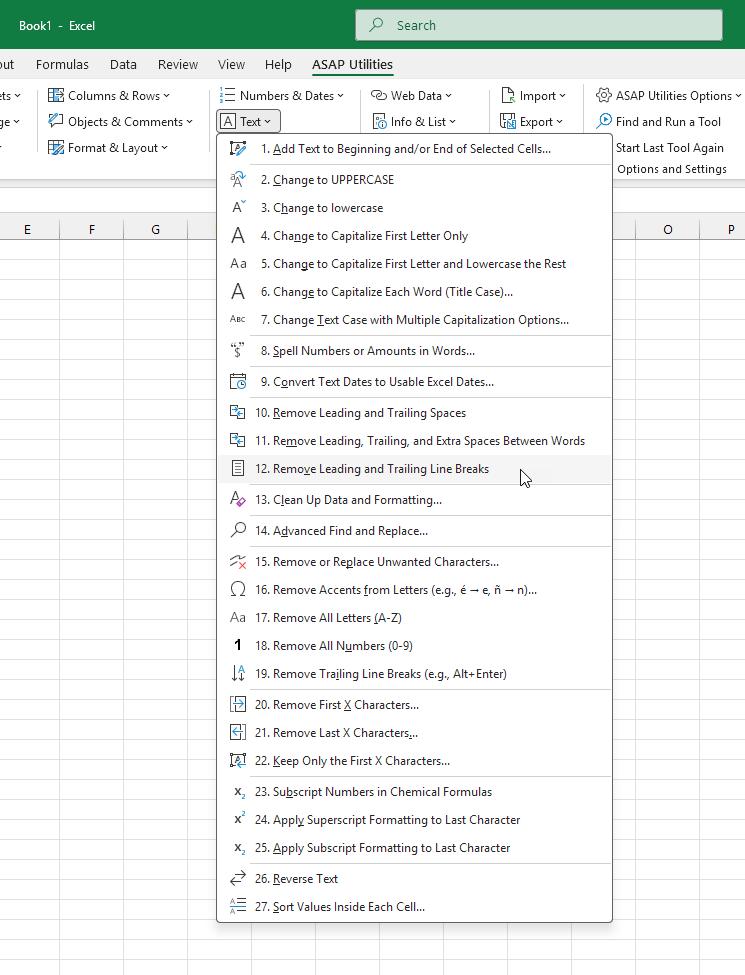
Text › 12. Remove Leading and Trailing Line Breaks
This tool removes line break characters from the beginning and end of the values in your selected cells. Line breaks inside the text remain.
Line breaks can be added unintentionally, for example by pressing Alt+Enter or when copying and pasting data from websites, emails, PDFs, or other programs. These line breaks are sometimes invisible and can cause unexpected results in formulas, sorting, filtering, comparisons, or lookups, or make cells appear misaligned or taller than expected.
Only line breaks at the start and end of the cell are removed.
This helps you clean up imported or pasted data quickly and ensures your text values behave as expected in Excel.
-
Four new languages to write out numbers and amounts in words
Based on user feedback, we've added 4 languages to the "Spell Numbers or Amounts in Words..." tool and ASAPSPELLNUMBER() function.
This is useful when preparing checks, invoices, or other financial documents where amounts must also be written out in words.
The available languages are now:
- English
- Dutch
- French
- German
And new in 9.2 also:
- Italian
- Portuguese
- Portuguese (Brazil)
- Spanish
You can use this via:
Formulas › 12. Insert Function from the ASAP Utilities Library...
=ASAPSPELLNUMBER()
or via Text › 8. Spell Numbers or Amounts in Words...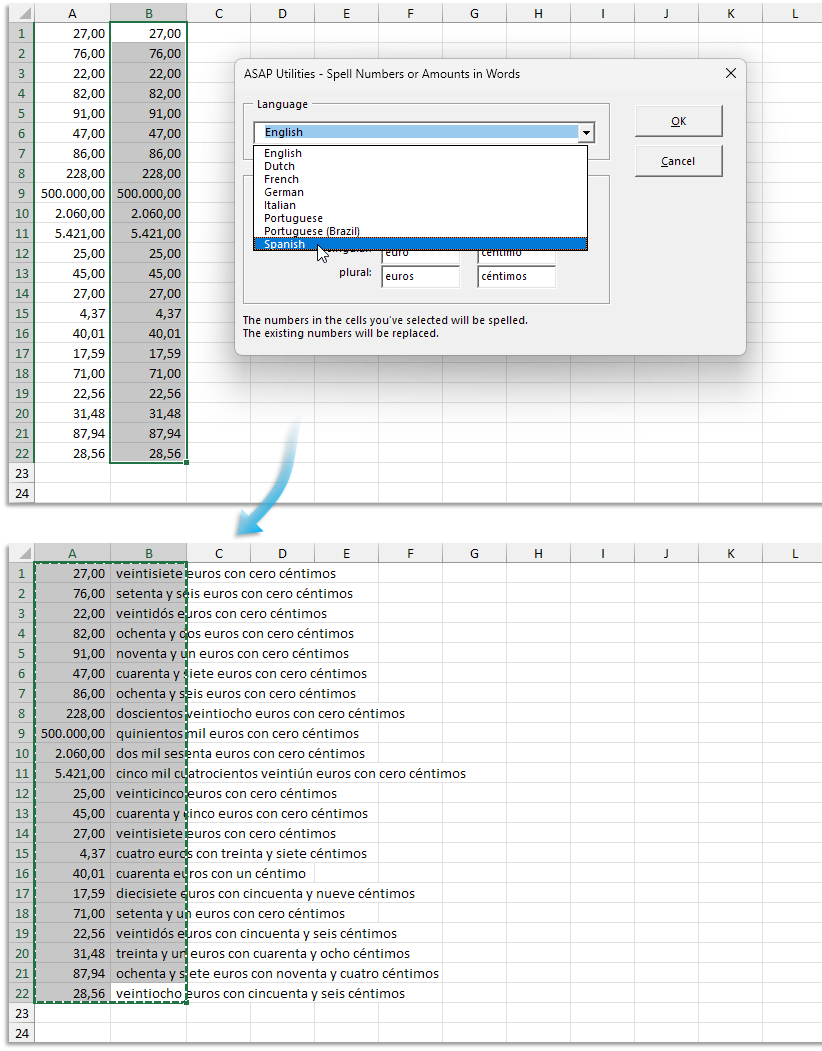
Bug fixes
-
The "Change to Capitalize First Letter Only" and "Change to Capitalize First Letter and Lowercase the Rest" tools no longer clear text values that contain no letters; such values are now left unchanged. This issue was introduced in version 9.0 and has now been fixed.
General
- We made a few small improvements and resolved minor issues that were either discovered by our team or reported by clients.
- We implemented a workaround in case "Disable UI extending from documents and templates" is "Enabled" which prevented showing the ASAP Utilities Tab in the Excel ribbon. You now have the option to have the ASAP Utilities menu shown in the 'classic' Add-ins tab in Excel.
- ASAP Utilities Options › 16. See How Much Time and Money You Saved with ASAP Utilities
Refined the estimated time savings for improved accuracy and consistency.
Supported Excel versions
ASAP Utilities 9 is compatible with Excel 365 Desktop and Excel 2024, as well as earlier versions back to Excel 2010, on Windows systems that meet Excel's system requirements.
Using your license with version 9
Version 9 is free for all licenses purchased in 2022 or later.
If you have an older license, you can upgrade with a generous 50% discount.
We'd love to hear from you
If you have any tips or suggestions, we'd love to hear from you! Your feedback helps us improve ASAP Utilities for everyone.
With great enthusiasm,
The ASAP Utilities Team
Get Started with ASAP Utilities 9
Start saving time in Excel with practical tools you can use right away.
-
No sign-up required.
-
-
Free 90-day trial