


Tip of the Day | August 22, 2026
Discover new tools to get things done.
Export Selected Chart or Range as Image (PNG, JPG, EMF, etc.)...
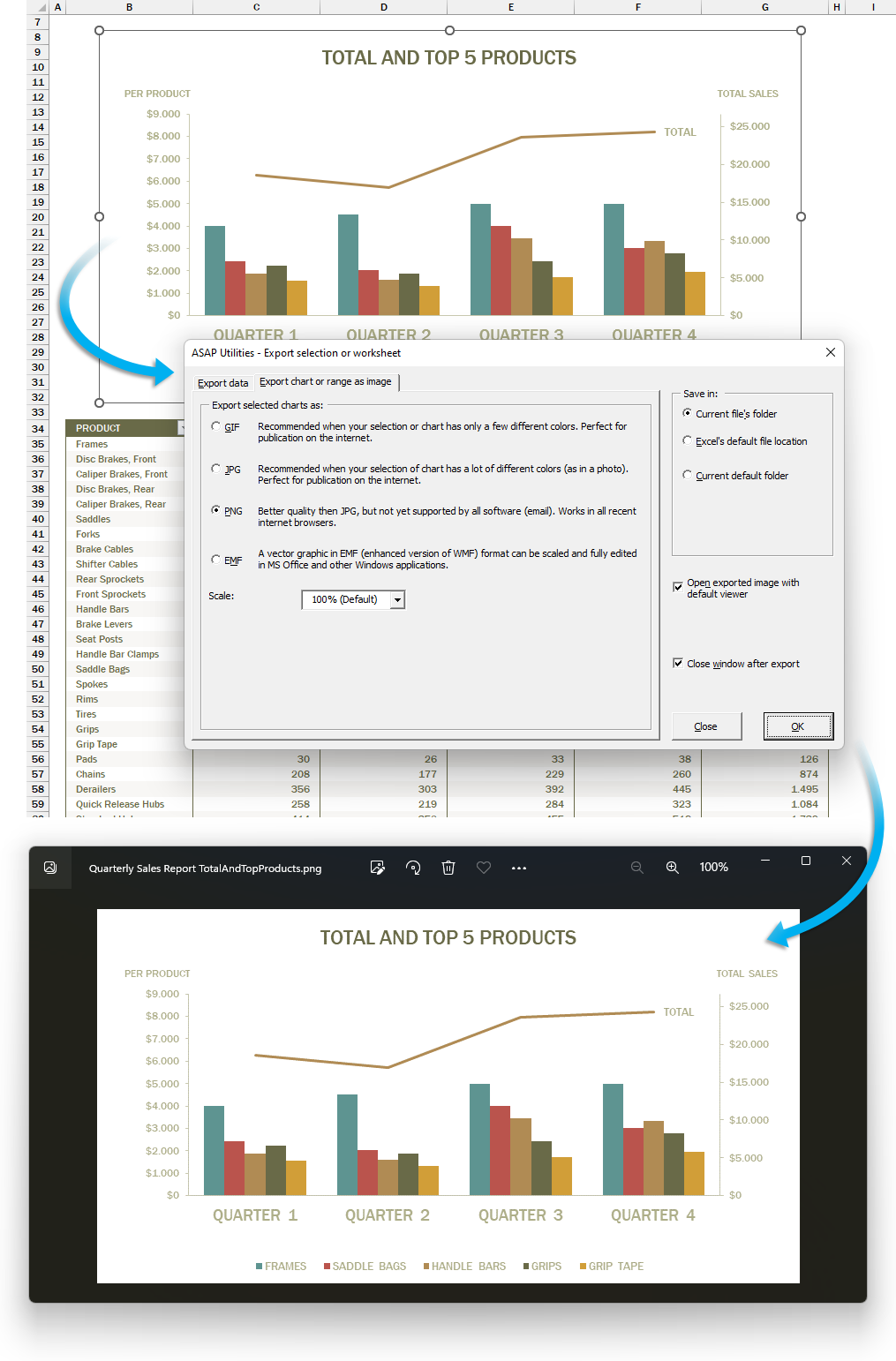
This tool lets you export a selected chart or cell range as an image file.
You can choose from the following formats:
- GIF: Good for simple visuals with few colors. Small file size, ideal for basic web graphics.
- JPG: Best for colorful or photo-like charts. Smaller file size, widely supported.
- PNG: Best overall choice. High quality and works almost everywhere.
- EMF: Best for resizing without losing sharpness. Editable in Microsoft Office.
Your last used settings are remembered automatically.
Use this tool when you want to:
- Save part of your worksheet or chart as an image
- Use Excel content in other apps or documents that accept image formats
- Prepare visuals for presentations, documentation, or websites
Note:
Due to Excel's internal image size limits (see Microsoft KB185001), large charts or ranges may be cut off or show incorrect colors.
If that happens, export as an EMF file to preserve full detail and sharpness.
Starting this tool
Specify a Keyboard Shortcut: ASAP Utilities › My Tools & Shortcuts › Manage My Tools & Shortcuts...
Tip:Alt+P for the previous tool.
Tip: Alt+N for the next tool.