


Tip of the Day | July 13, 2026
Discover new tools to get things done.
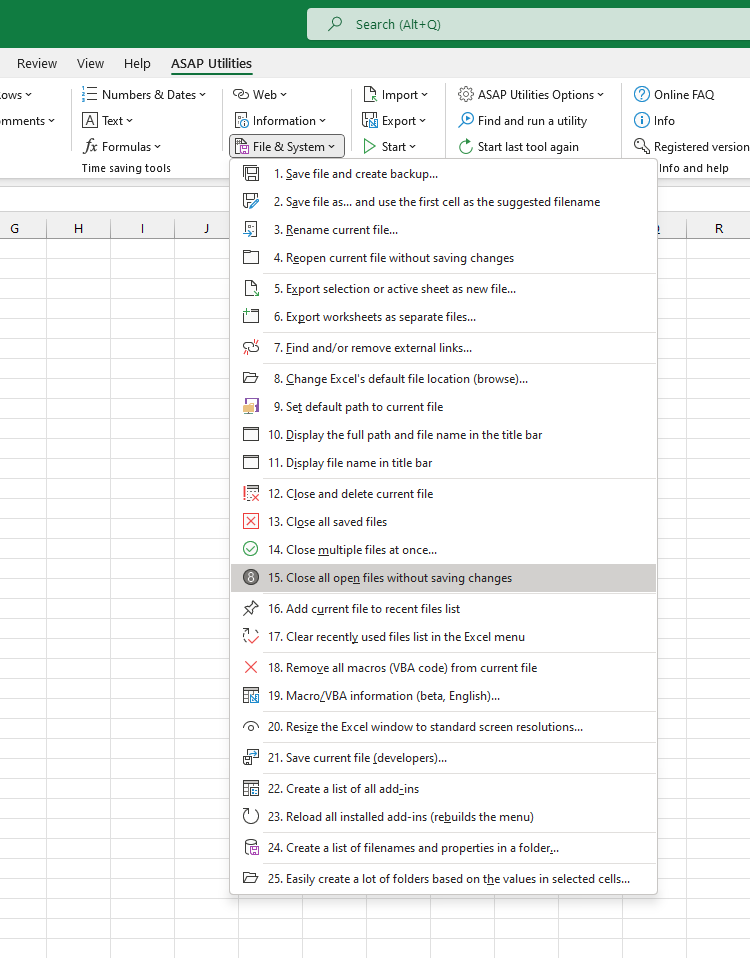
Close All Open Files Without Saving Changes
It's a quick way to discard all changes and close everything at once, such as when working with test files or if you want to reset your workspace quickly.
How it works:
- A confirmation message will always appear first, asking if you are sure you want to close all files without saving any changes.
- If confirmed, all open files will be closed immediately without saving changes.
- Any unsaved changes will be lost.
- Excel stays open, and add-ins or hidden workbooks (such as PERSONAL.XLSB) will not be closed.
It's useful when:
- You quickly want to close everything without saving
- You are working with test files or temporary data
- You have made changes you don't want to keep
- You want to skip Excel's save confirmation messages for every file
- You want to reset your Excel workspace without closing Excel
Note: Only use this tool when you are sure you don't want to keep any changes. After confirmation, all unsaved changes will be lost.
Starting this tool
Specify a Keyboard Shortcut: ASAP Utilities › My Tools & Shortcuts › Manage My Tools & Shortcuts...
Tip:Alt+P for the previous tool.
Tip: Alt+N for the next tool.