Tip of the Day | 2026年6月14日
Discover new tools to get things done.
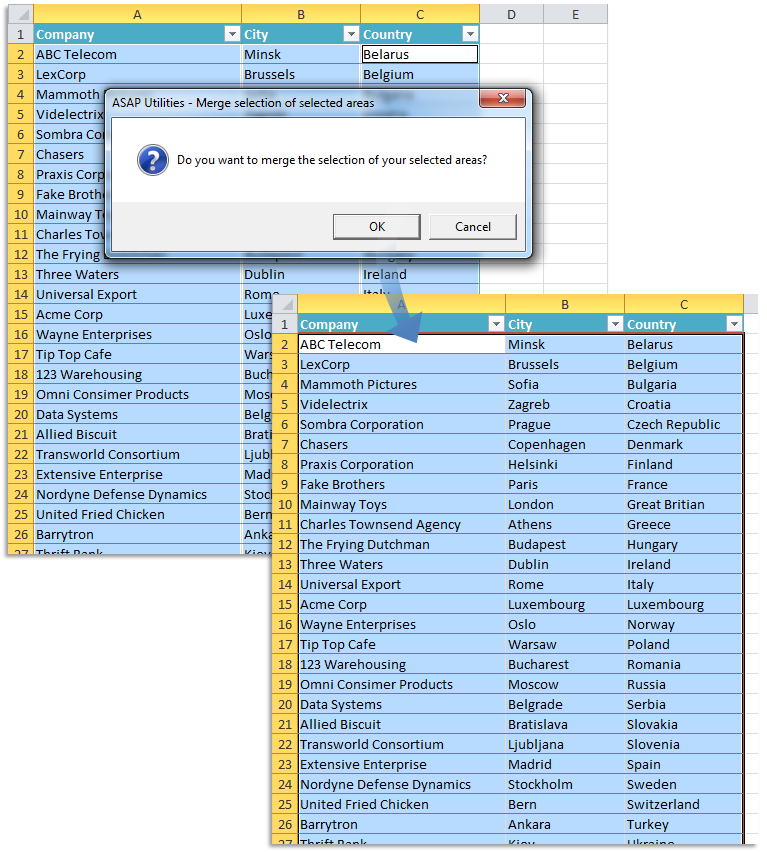
合并选定区域的选择
此实用工具会将多个相邻的单元格选定区域(区域)合并为一个新选定区域。
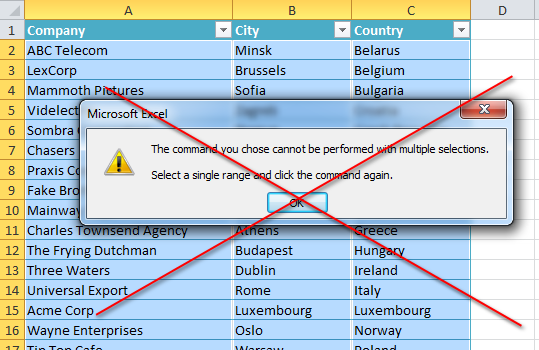
有时 Excel 会需要一个选定区域来执行某些操作,还会向您提示错误:"您所选的命令无法在多个选定区域执行。请选择一个区域,然后再次单击该命令。"
如果生成的选定区域是一个实心正方形区域,您可以使用此实用工具将多个选定区域合并为单独一个新选定区域。
如果各个选定区域在一起形成一个邻接的正方形,您可以使用此工具创建单独一个新选定区域。
例如,当您选择区域 [A10:A50] 和 [B10:B50] 时,此工具会将其合并为一个选定区域:[A10:B50]。
Starting this tool
Click ASAP Utilities › 选定 › 6. 合并选定区域的选择
Specify a Keyboard Shortcut: ASAP Utilities › My Tools & Shortcuts › Manage My Tools & Shortcuts...
Example screenshot: 2 Your selected areas transformed to one single range (Here's the English version.)