


Display & Navigation...
Quickly navigate between your workbooks and worksheets and adjust their display settings.
Any changes you make will appear immediately. For example, if you turn off gridlines, you will see the effect right away.
Worksheet settings:
- Gridlines
- Page breaks
- Row & column headers
- Zero values
- Formulas
- Outline symbols
-
Zoom, you can use a slider to set the zoom percentage. As you slide, you will immediately see the result.
You can quickly apply the settings of the selected worksheets to all worksheets in your workbook.
Workbook settings:
- Sheet tabs
- Horizontal scroll bar
- Vertical scroll bar
- Reference style: A1 or R1C1
- Show objects: show all, show placeholders, or hide all
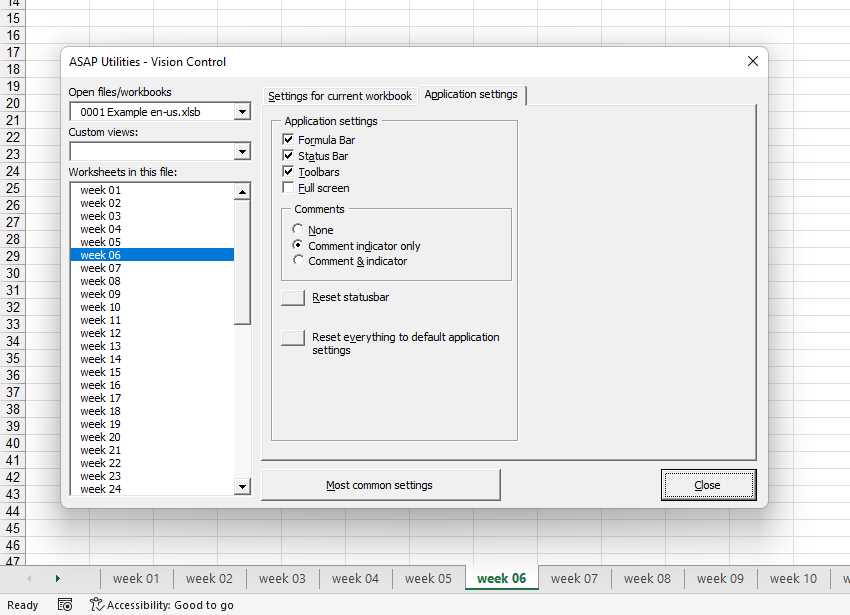
Display settings for Excel on the application level:
- Formula bar
- Status bar
- Toolbars
- Fullscreen
- Comments: none, comment indicator only or comment & indicator
With this tool, you can also:
- Browse through all open workbooks.
- Browse the worksheets in your workbook and quickly see the settings for each worksheet.
- Quickly change how your worksheet, workbook, or Excel is displayed.
- Remove the selection restrictions in all worksheets.
- Set the default folder to the path of the selected workbook, causing the Open and Save dialogs to start in that folder next time.
- Reset the status bar if it becomes locked (for example, after a macro that did not finish properly).
- Reset everything to the default application settings, which restores the status bar, sets calculation to automatic, enables display alerts (Application.DisplayAlerts = True), returns the cursor to default, and re-enables all toolbars.
By default, you can launch this tool using the Control+Shift+I shortcut.
Starting this tool
Specify a Keyboard Shortcut: ASAP Utilities › My Tools & Shortcuts › Manage My Tools & Shortcuts...
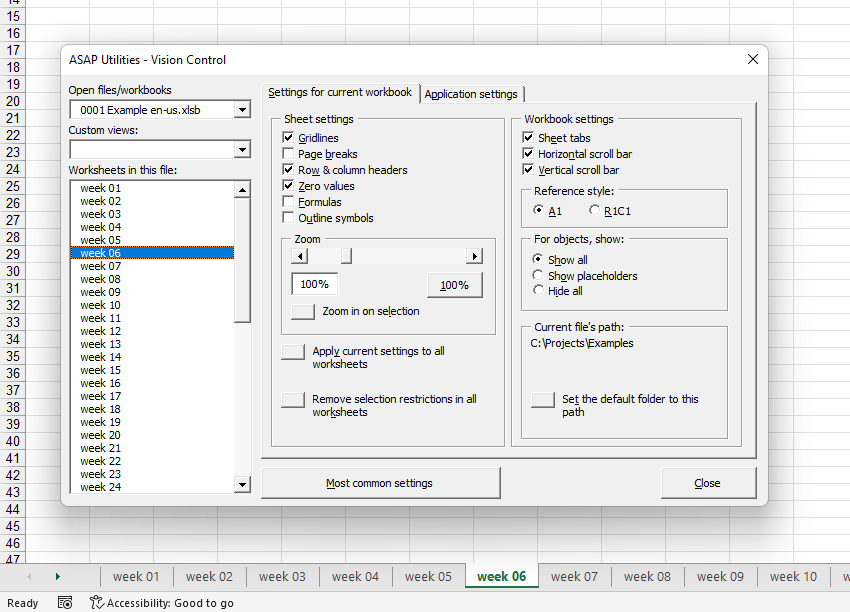
Example screenshot: 2 Application settings (Here's the English version.)
Additional keywords to help you find this tool:
Display settings, Worksheet display, Worksheet navigation, Browse worksheets, Hide/unhide, Gridlines, Page breaks, Row & column headers, Formulas display, Sheet tabs, Full screen, Comments visibility, Status bar, Default folder path, Selection restrictions, Reference style (A1/R1C1), Reset application settings, Vision Control, View comment, Unhiding, Headings, Pagebreaks
Tip:Alt+P for the previous tool.
Tip: Alt+N for the next tool.

Save Time in Excel. The Easy Way.
ASAP Utilities helps you save time and do what Excel alone can't.
You can get started right away. No training needed.
Most users start with a few tools. Many end up using ASAP Utilities daily.
Used by teams in 28,500+ organizations.
Get Started with ASAP Utilities
Start saving time in Excel with practical tools you can use right away.
-
No sign-up required.
-
-
Free 90-day trial