


Auto Numbering and Labeling of Selected Cells...
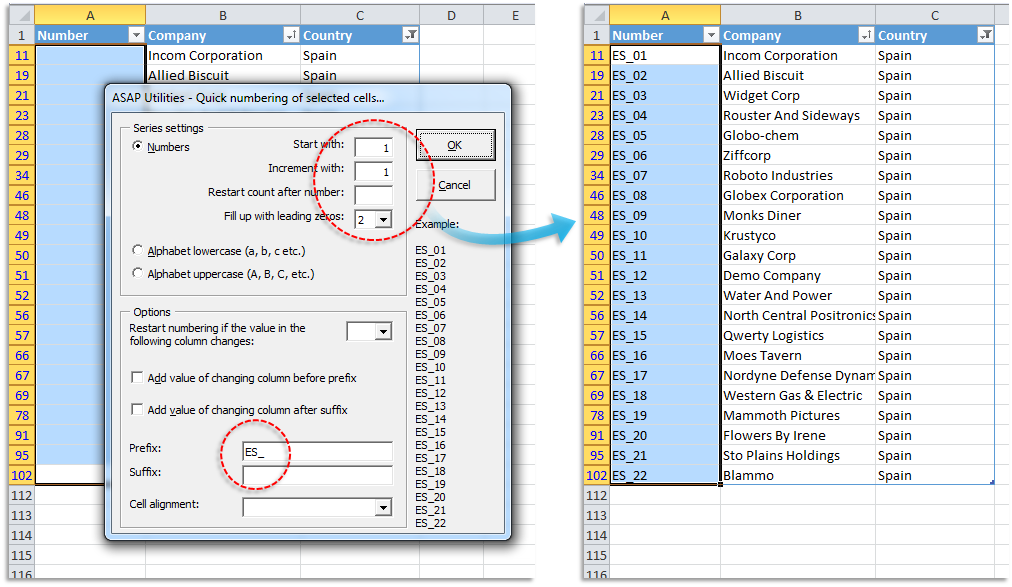
This tool helps you automatically number or label the selected cells, with several flexible options.
You can use it to quickly create series such as:
- 1, 2, 3...
- 00001, 00002, 00003...
- A, B, C...
- Week 1, Week 2, Week 3...
- Product-001, Product-002...
Series Options:
-
Create a numeric series:
- Define the starting number (e.g., 1)
- Define the increment (e.g., +1)
- Optional: restart after a certain number
- Optional: pad numbers with leading zeros to a fixed length (e.g., 00001)
-
Create an alphabetic series:
- Lowercase letters (a, b, c, ...)
- Uppercase letters (A, B, C, ...)
Additional Options:
- Add a prefix and/or suffix to each value (e.g., "Week " + number = Week 1)
- Restart numbering when the value in a specific column changes (e.g., restart count per city or category)
- Optional: include the value from that column as part of the label (e.g., "New York-001", "Chicago-001", etc.)
- Set cell alignment (general, left, center, right)
This tool is useful for preparing structured lists, labeling grouped data, generating IDs, or creating sequences for reporting.
By default, you can launch this tool using the Control+Alt+Q shortcut.
Starting this tool
Specify a Keyboard Shortcut: ASAP Utilities › My Tools & Shortcuts › Manage My Tools & Shortcuts...
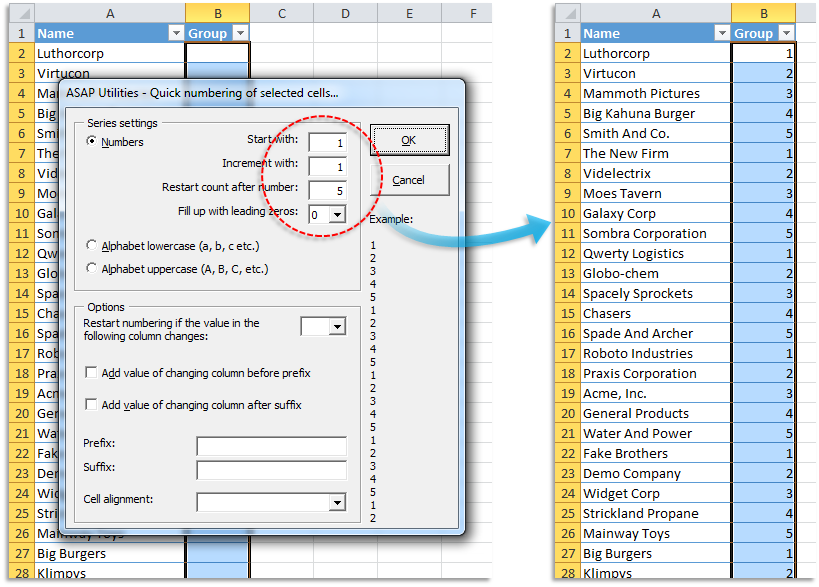
Example screenshot: 2 Example 2 (Here's the English version.)
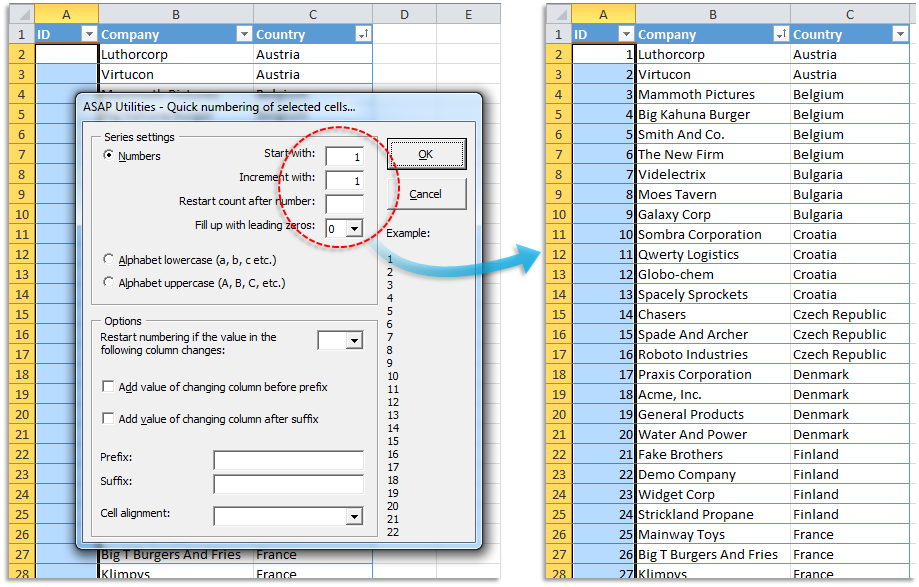
Example screenshot: 3 Example 3 (Here's the English version.)
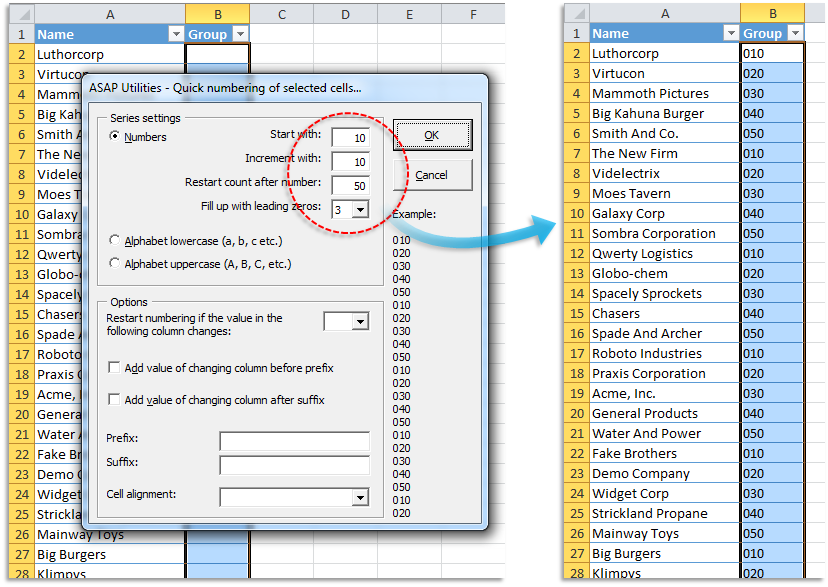
Example screenshot: 4 Example 4 (Here's the English version.)
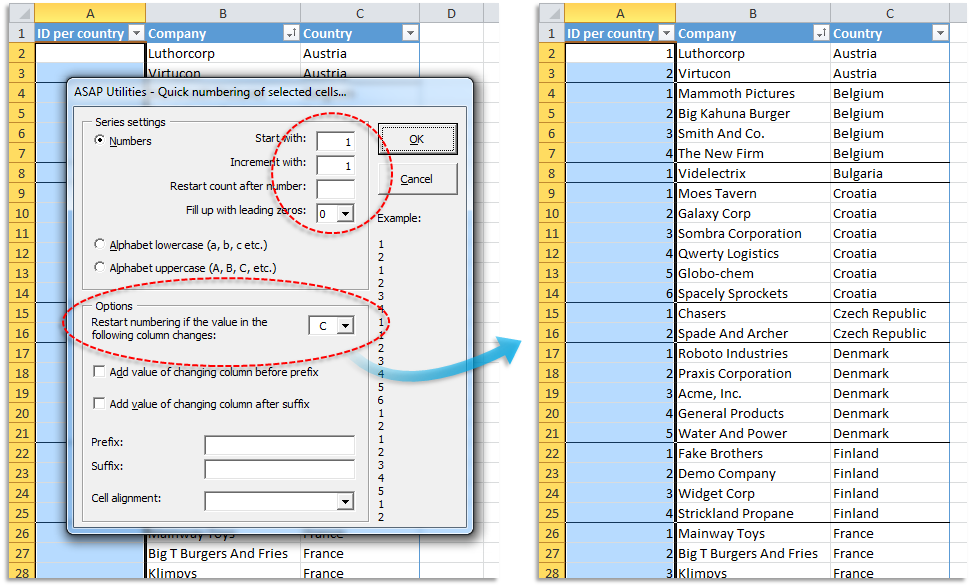
Example screenshot: 5 Example 5 (Here's the English version.)
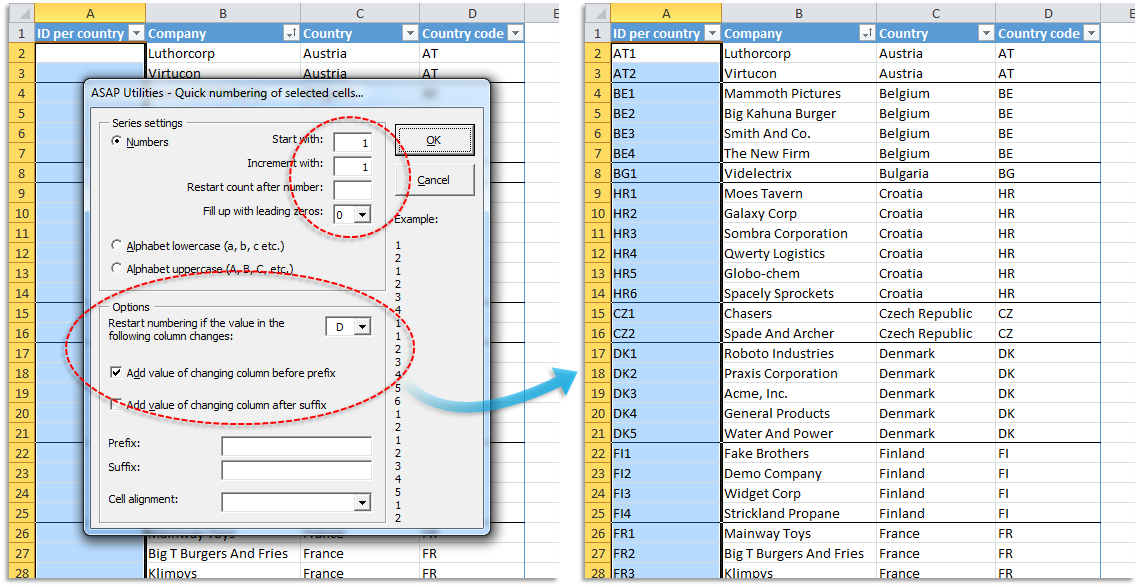
Example screenshot: 6 Example 6 (Here's the English version.)
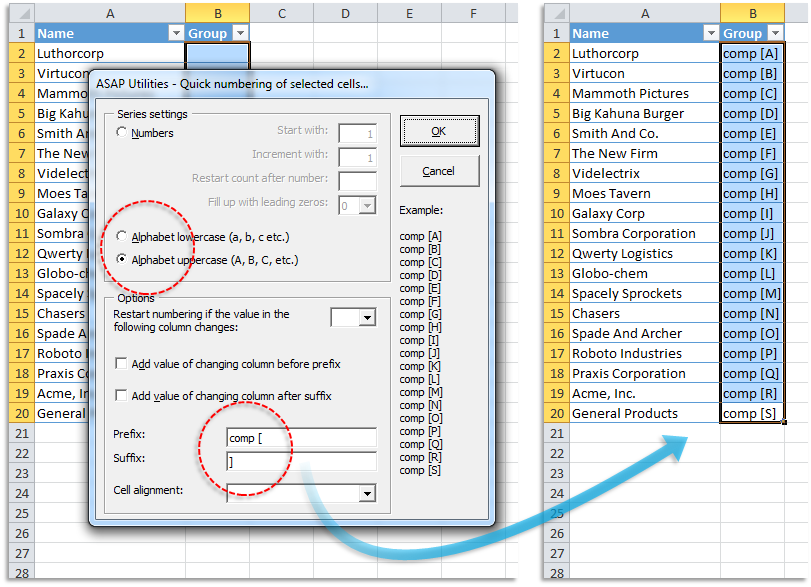
Example screenshot: 7 Example 7 (Here's the English version.)
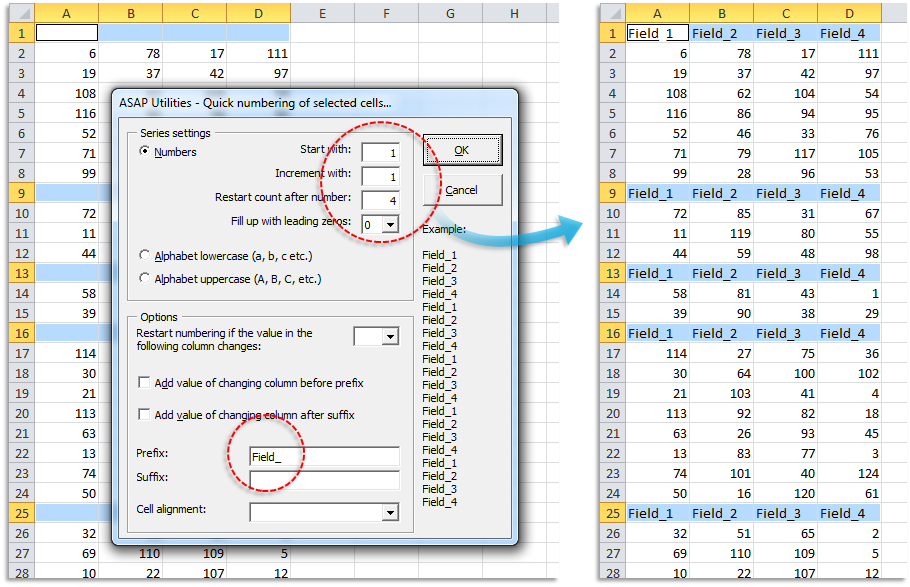
Example screenshot: 8 Example 8 (Here's the English version.)
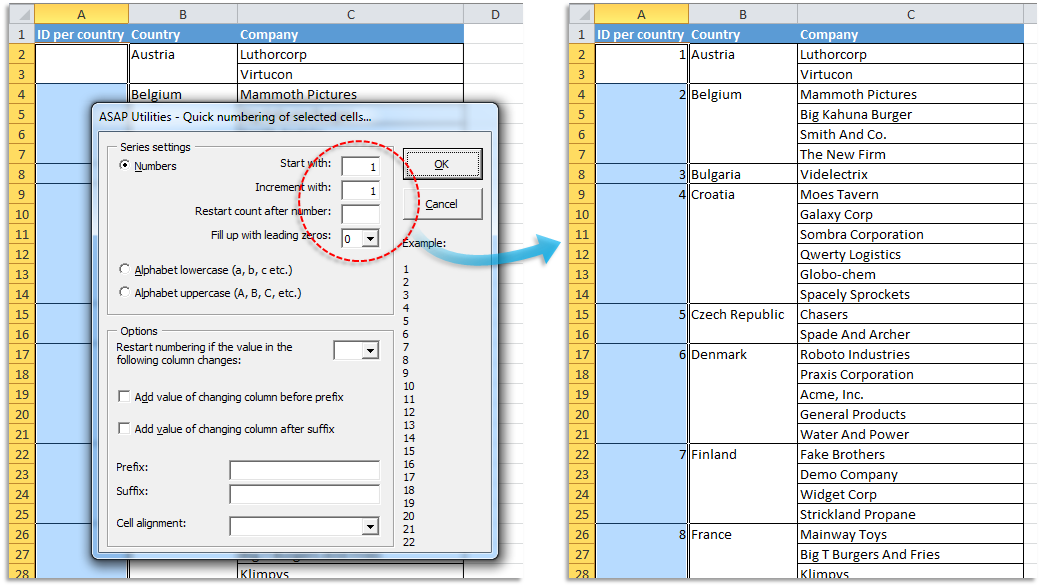
Example screenshot: 9 Example 9 (Here's the English version.)
Additional keywords to help you find this tool:
Auto number cells, Sequential numbering, Auto fill numbers, Create numbered list, Auto label rows or columns, Restart numbering per group, Custom sequence generator, Fill series with letters, Generate IDs in Excel, Number with prefix, Alphabetic series, Numbering with text, Row numbering by category, Auto increment cells, Fill down numbers with text, Generate product codes, Create custom labels
Tip:Alt+P for the previous tool.
Tip: Alt+N for the next tool.

Save Time in Excel. The Easy Way.
ASAP Utilities helps you save time and do what Excel alone can't.
You can get started right away. No training needed.
Most users start with a few tools. Many end up using ASAP Utilities daily.
Used by teams in 28,500+ organizations.
Get Started with ASAP Utilities
Start saving time in Excel with practical tools you can use right away.
-
No sign-up required.
-
-
Free 90-day trial