


Remove All Conditional Formatting from Selection
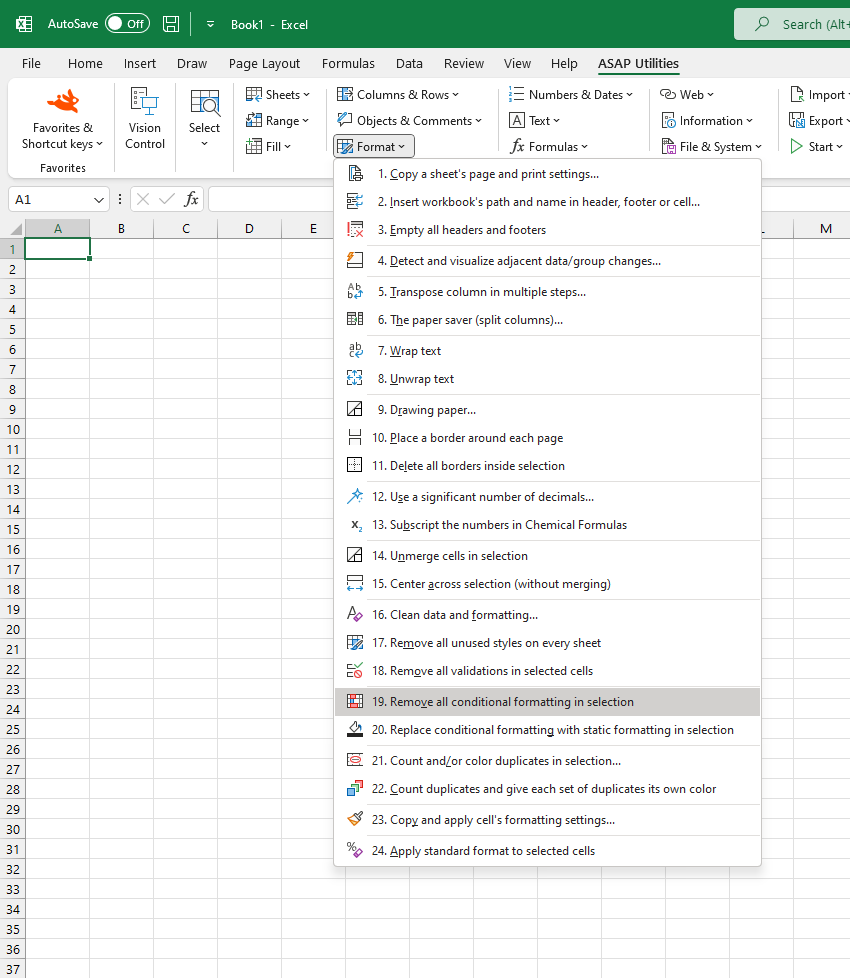
This tool removes all conditional formatting rules from the selected cells.
It's useful to reset the formatting in part of your worksheet without affecting the actual cell values, formulas, or manually applied formatting.
For example, it can help clean up leftover rules from copied or imported data or to clear conflicting formats before applying new ones.
After the rules are removed, any formatting they applied, such as colors, icons, or data bars, will also be removed.
It works similarly to Excel's Home > Conditional Formatting > Clear Rules > Clear Rules from Selected Cells button, which removes all conditional formatting rules in your selection.
The benefit of having this tool in ASAP Utilities is that you can assign a shortcut to it via 'My Tools & Shortcut Keys' for accessibility and even faster access.
Note: This tool only removes conditional formatting rules. It does not affect manually applied fonts, borders, fill colors, or number formatting.
Historical Note:
ASAP Utilities introduced this feature several years before Excel added it to the ribbon in Excel 2007. Until then, it was a cumbersome manual process that only allowed clearing from the entire worksheet or table, not always from a selection.
Starting this tool
Specify a Keyboard Shortcut: ASAP Utilities › My Tools & Shortcuts › Manage My Tools & Shortcuts...
Additional keywords to help you find this tool:
Remove conditional formatting in Excel, Clear conditional formatting from selected cells, Delete conditional formatting, Remove formatting rules, How to clear conditional formatting in Excel, Reset conditional formatting, Remove rules from selection, Clear conditional formatting only, Erase conditional formatting, Formatting cleanup tool, Remove conditional format but keep values, Tool to clear formatting rules, Remove conditional colors and icons, Delete conditional formatting without removing cell content, Undo conditional formatting selection, Clean up copied formatting, Remove data bar formatting in Excel, Clear formatting caused by rules, Remove all formatting rules in selection
Tip:Alt+P for the previous tool.
Tip: Alt+N for the next tool.

Save Time in Excel. The Easy Way.
ASAP Utilities helps you save time and do what Excel alone can't.
You can get started right away. No training needed.
Most users start with a few tools. Many end up using ASAP Utilities daily.
Used by teams in 28,500+ organizations.
Get Started with ASAP Utilities
Start saving time in Excel with practical tools you can use right away.
-
No sign-up required.
-
-
Free 90-day trial