


Remove All Data Validation from Selected Cells
This tool removes all data validation settings from the selected cells in your worksheet(s).
If you have multiple worksheets selected (grouped), this tool removes the data validation from the same cell range on each sheet.
For example, if you select range B2:B10 and have 50 sheets grouped, the validation will be removed from B2:B10 on all 50 sheets.
Data validation is used to control what users can enter in a cell, such as limiting inputs to whole numbers, creating dropdown lists, or displaying input messages and error alerts.
This tool helps you quickly remove those restrictions while keeping the existing cell values, formulas, and formatting unchanged.
It's useful when you want to:
- Clear dropdown lists from copied or imported cells
- Remove input restrictions
- Eliminate error messages or custom prompts
- Reset cells before applying new validation settings
It works the same as Excel's Data > Data Tools > Data Validation > Settings > Clear All command.
The advantage of having this in ASAP Utilities is that it alsop works across multiple worksheets, and you can assign a shortcut to it via 'My Tools & Shortcut Keys' for accessibility and even faster access.
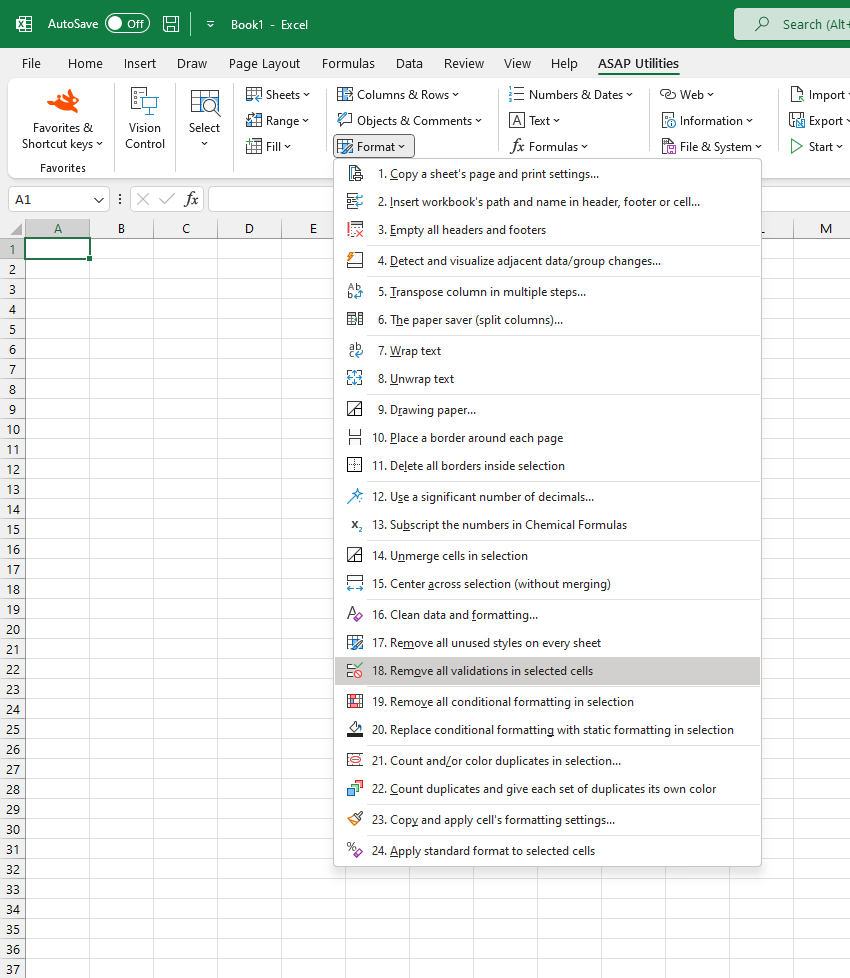
Starting this tool
Specify a Keyboard Shortcut: ASAP Utilities › My Tools & Shortcuts › Manage My Tools & Shortcuts...
Additional keywords to help you find this tool:
Clear data validation settings, Delete data validation, Remove dropdown list, How to remove input restrictions in Excel, Clear validation rules from cells, Remove validation from selection, Clear validation criteria, Undo data validation, Reset cell validation, Remove data validation multiple sheets, Remove data validation across worksheets, Shortcut to clear data validation, Remove input messages and error alerts, Delete dropdown list in selection, Clear data validation from copied cells, Remove validation settings without deleting values, Remove data validation from selected cells, Clear all data validation Excel shortcut
Tip:Alt+P for the previous tool.
Tip: Alt+N for the next tool.

Save Time in Excel. The Easy Way.
ASAP Utilities helps you save time and do what Excel alone can't.
You can get started right away. No training needed.
Most users start with a few tools. Many end up using ASAP Utilities daily.
Used by teams in 28,500+ organizations.
Get Started with ASAP Utilities
Start saving time in Excel with practical tools you can use right away.
-
No sign-up required.
-
-
Free 90-day trial