


Delete All Objects in Selected Worksheet(s)
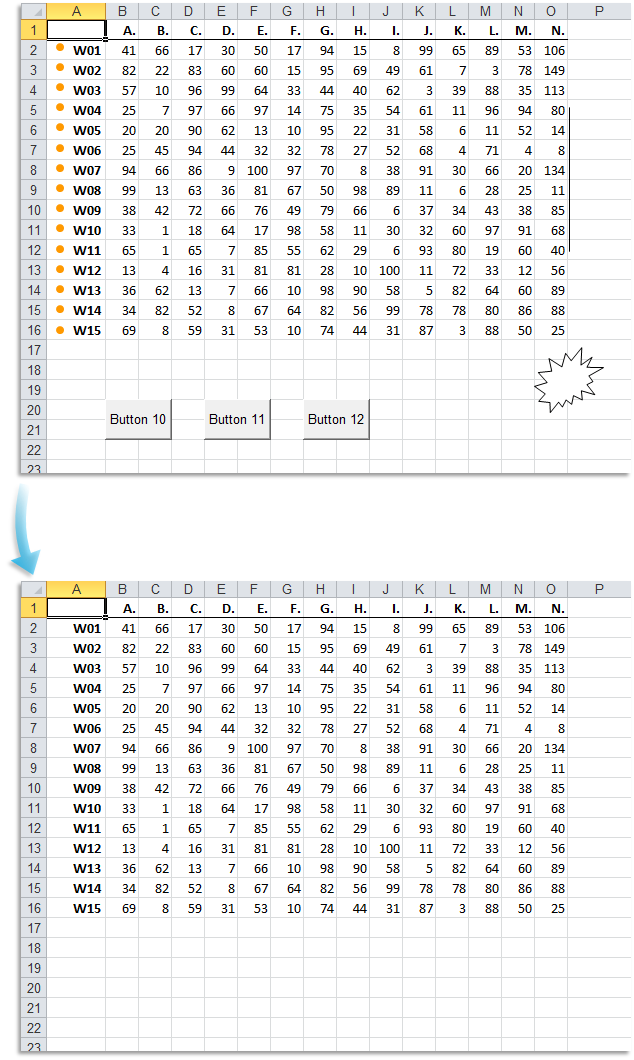
This tool removes all objects from the selected worksheet(s) in your workbook.
For example, it will delete objects such as the following:
- Shapes (including AutoShapes)
- Text boxes
- Pictures
- WordArt
- Charts
- Clip Art
- Form controls (from the Forms toolbar)
- ActiveX controls and OLE buttons (from the Control Toolbox)
- Embedded objects such as SmartArt, 3D models, or inserted files
This is useful for cleaning up sheets with leftover or hidden objects, especially after copying data from other sources or preparing worksheets for printing or sharing.
Starting this tool
Specify a Keyboard Shortcut: ASAP Utilities › My Tools & Shortcuts › Manage My Tools & Shortcuts...
Additional keywords to help you find this tool:
Delete all objects in Excel worksheet, Remove shapes and images, Delete pictures and charts, Clear objects in Excel sheet, Remove form controls, Delete all controls from worksheet, Remove embedded objects in Excel, Delete SmartArt and WordArt, Remove ActiveX controls, Remove text boxes, Clean up worksheet graphics, Remove drawings from sheet, Remove all visuals in worksheet, Delete inserted objects, Delete clip art and images, Clear chart objects, Delete 3D models, Bulk remove shapes and controls, Remove legacy controls, Workbook object cleaner
Tip:Alt+P for the previous tool.
Tip: Alt+N for the next tool.

Save Time in Excel. The Easy Way.
ASAP Utilities helps you save time and do what Excel alone can't.
You can get started right away. No training needed.
Most users start with a few tools. Many end up using ASAP Utilities daily.
Used by teams in 28,500+ organizations.
Get Started with ASAP Utilities
Start saving time in Excel with practical tools you can use right away.
-
No sign-up required.
-
-
Free 90-day trial