


Add Current File to Recent Files List
This tool adds your current file to Excel's Recent Files list.
Usually, when you open a file, Excel automatically adds it to the list. But sometimes, that doesn't happen, for example, when a file is opened via a macro, external script, special tool, or if Excel hasn't updated the list yet.
It's useful when:
- The file you opened is missing from the Recent Files list
- You opened the file via a macro, VBA, or custom tool
- You want to quickly add it for easy access later
How it works:
- The current file is added to the top of Excel's Recent Files list
- The number of recent files Excel remembers depends on your Excel settings (File > Options > Advanced > Display > Show this number of Recent Workbooks)
Starting this tool
Specify a Keyboard Shortcut: ASAP Utilities › My Tools & Shortcuts › Manage My Tools & Shortcuts...
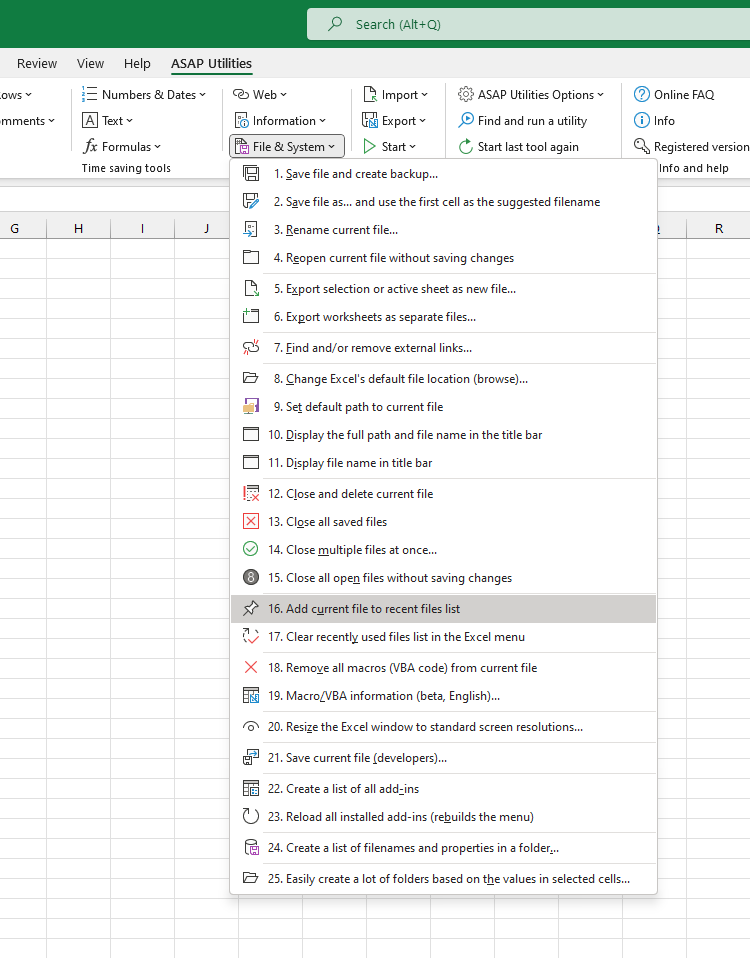
Additional keywords to help you find this tool:
add file to recent files, add workbook to recent files, recent files list, recent workbooks list, missing from recent files, update recent files list, add to recent documents, Excel recent files, Excel recent workbooks, Excel not showing recent files, opened file missing from recent, force add to recent files, refresh recent files list, VBA recent files, Excel file not listed in recent, restore recent files entry, show in recent files, Excel open file not in recent, Excel add file to recent manually, reopen recent file
Tip:Alt+P for the previous tool.
Tip: Alt+N for the next tool.

Save Time in Excel. The Easy Way.
ASAP Utilities helps you save time and do what Excel alone can't.
You can get started right away. No training needed.
Most users start with a few tools. Many end up using ASAP Utilities daily.
Used by teams in 28,500+ organizations.
Get Started with ASAP Utilities
Start saving time in Excel with practical tools you can use right away.
-
No sign-up required.
-
-
Free 90-day trial