


Remove All Macros (VBA Code) from Current Workbook
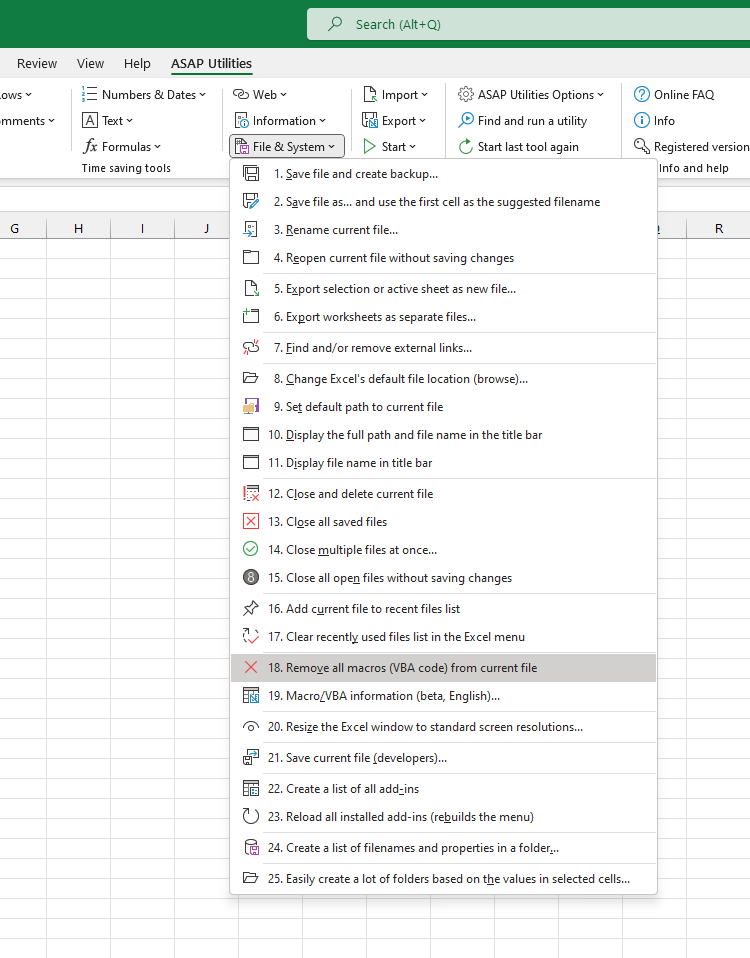
This tool removes all macros (VBA code) from your current workbook in one step.
It's useful when:
- You want to share a workbook without any embedded code
- You no longer need the macros and want to clean up the file
- You're getting a macro warning, but the workbook doesn't use the code
How it works:
- Deletes all VBA code, modules, userforms, and class modules from the workbook
- The workbook stays open after removing the macros
- You'll always get a confirmation prompt before the code is removed
- A backup is not created automatically, so save a copy first if needed
Important to know:
- This tool only removes VBA code stored in the workbook's VBA project
- It does not remove legacy Excel 4.0 macro sheets or Excel 5.0 dialog sheets (if present)
As an alternative, you can also remove macros by saving your workbook as an Excel Macro-Free Workbook (.xlsx) in Excel via File > Save As > Excel Workbook (.xlsx).
This tool gives you more direct control by clearing the VBA project without using Save As or changing the file format.
Starting this tool
Specify a Keyboard Shortcut: ASAP Utilities › My Tools & Shortcuts › Manage My Tools & Shortcuts...
Additional keywords to help you find this tool:
remove macros from Excel workbook, remove VBA code from Excel, delete all macros in Excel, remove VBA from Excel file, clear macros from Excel file, delete VBA project Excel, remove Excel VBA code, remove macros without Save As, how to remove macros in Excel, remove embedded code Excel, clean Excel workbook from macros, delete code in Excel workbook, remove userforms Excel, remove modules Excel VBA, remove all Excel macros at once, remove macro warning Excel, remove VBA but keep data Excel, remove code from current workbook, remove macros without changing file format, delete Excel macros without Save As
Tip:Alt+P for the previous tool.
Tip: Alt+N for the next tool.

Save Time in Excel. The Easy Way.
ASAP Utilities helps you save time and do what Excel alone can't.
You can get started right away. No training needed.
Most users start with a few tools. Many end up using ASAP Utilities daily.
Used by teams in 28,500+ organizations.
Get Started with ASAP Utilities
Start saving time in Excel with practical tools you can use right away.
-
No sign-up required.
-
-
Free 90-day trial