


Copy Selection as Values to Clipboard
This tool copies the selected range as plain values to your clipboard.
It provides a convenient alternative to Excel's standard Copy (Ctrl+C) when:
- You want to copy just the values, without formulas or formatting
- You need the copied content to remain available for pasting, even if Excel would normally reset it
- You want to avoid issues like extra double quotes or formatting when pasting into other programs
This tool helps you:
- Copy clean values into other programs (e.g., Notepad, Outlook, web apps)
- Avoid formatting issues when pasting into external applications
- Skip common Excel copy quirks like automatic quote wrapping
The tool works with a single continuous selection. If multiple ranges are selected, you'll be prompted to proceed with only the first one.
The clipboard contains plain text (tab-delimited), ready to paste anywhere.
Tip:
If you want to copy only visible cells and customize how data is copied, use our "Export Selection or Sheet to New File (Excel, PDF, TXT, CSV, etc.)..." tool and choose "Copy to clipboard (tab delimited)".
Starting this tool
Specify a Keyboard Shortcut: ASAP Utilities › My Tools & Shortcuts › Manage My Tools & Shortcuts...
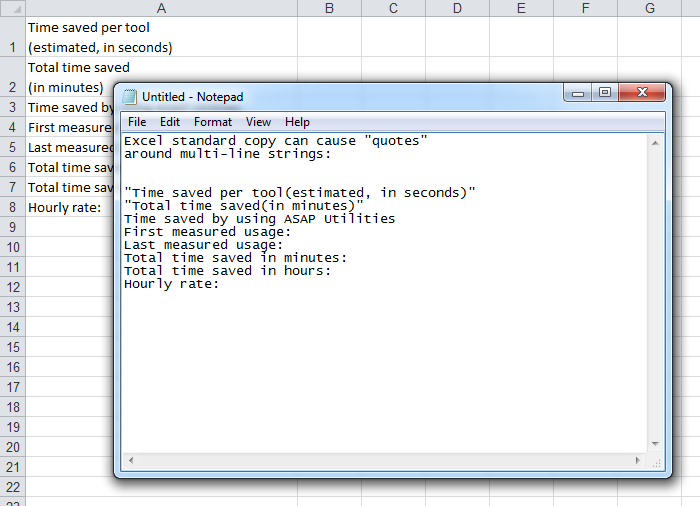
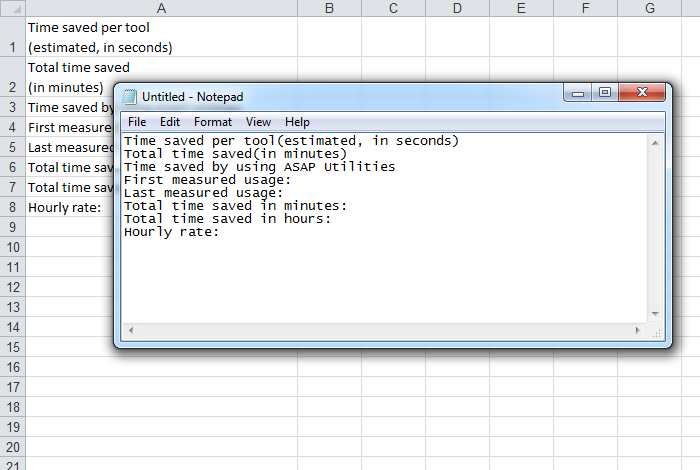
Example screenshot: 2 The result of copying with ASAP Utilities (Here's the English version.)
Additional keywords to help you find this tool:
copy cell values only, paste without formatting, copy clean data, clipboard plain text, avoid double quotes, Excel clipboard issues, copy without styling, Excel copy fix, values only paste, copy range to text, Excel copy workaround
Tip:Alt+P for the previous tool.
Tip: Alt+N for the next tool.

Save Time in Excel. The Easy Way.
ASAP Utilities helps you save time and do what Excel alone can't.
You can get started right away. No training needed.
Most users start with a few tools. Many end up using ASAP Utilities daily.
Used by teams in 28,500+ organizations.
Get Started with ASAP Utilities
Start saving time in Excel with practical tools you can use right away.
-
No sign-up required.
-
-
Free 90-day trial