


Export Worksheets as Separate Files (Excel, PDF, TXT, CSV, etc.)...
This tool lets you export all worksheets, or only selected ones, from your workbook as separate files.
You can choose the output folder, export format, and whether to include cells in hidden rows and columns.
Supported file formats include:
- Excel Workbook (*.xlsx)
- Excel Binary Workbook (*.xlsb)
- Excel 97-2003 Workbook (*.xls)
- CSV, comma-delimited (*.csv)
- Text, delimited by semicolon (;) (*.txt)
- Text, tab-delimited (*.tsv)
- Formatted Text, space-delimited) (*.prn)
- Text, delimited by pipe (|) (*.txt)
- Text, delimited by tilde (~) (*.txt)
- JSON (*.json)
- Web Page (*.htm, *.html)
- Single File Web Page (*.mht, *.mhtml)
- PDF (*.pdf)
Additional options:
- Skip cells in hidden rows or columns
- Export text files using Unicode UTF-8 or UTF-16LE encoding
- Customize CSV/DSV export: field separator, text qualifier, and decimal symbol
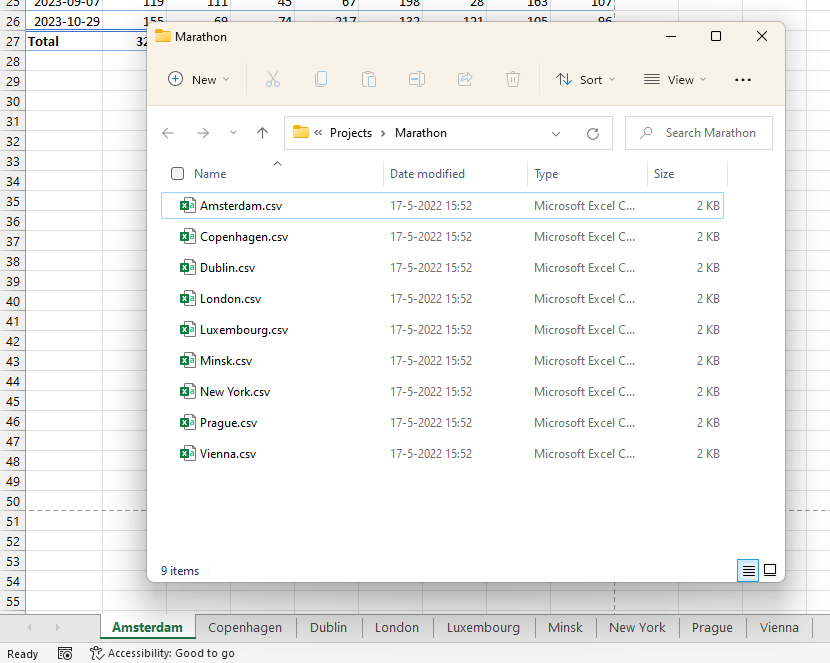
- Automatically name output files based on sheet names
Content options:
- Export as values only (e.g., 12)
- Export as formulas (e.g., =3*E6)
- Export as displayed (e.g., €12.00)
Your last used settings and output location are remembered.
Use this tool when you want to:
- Split a workbook into individual files by worksheet
- Export only certain sheets in a specific format
- Quickly generate multiple files for sharing, reports, or backups
Starting this tool
Specify a Keyboard Shortcut: ASAP Utilities › My Tools & Shortcuts › Manage My Tools & Shortcuts...
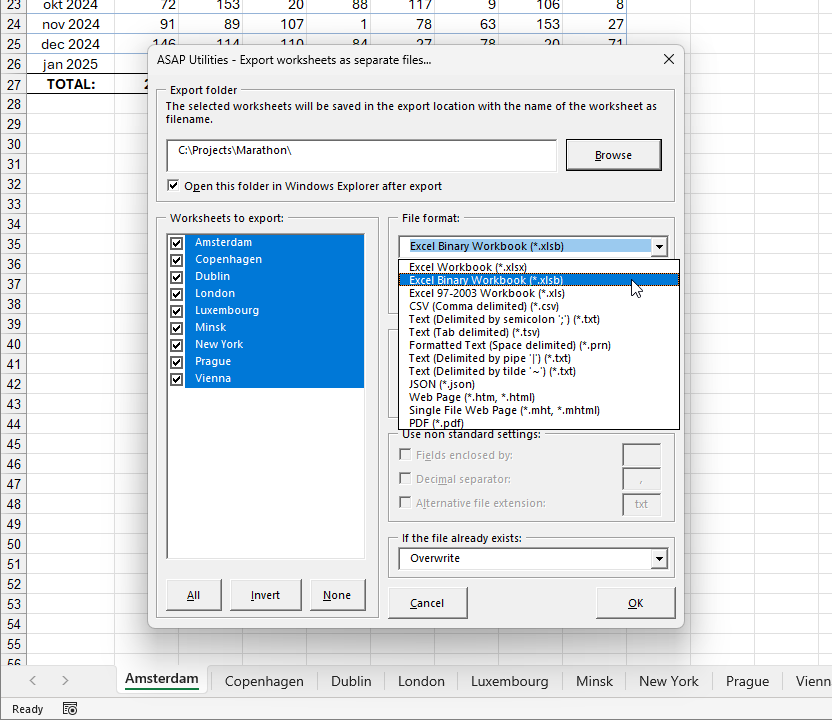
Example screenshot: 2 (Here's the English version.)
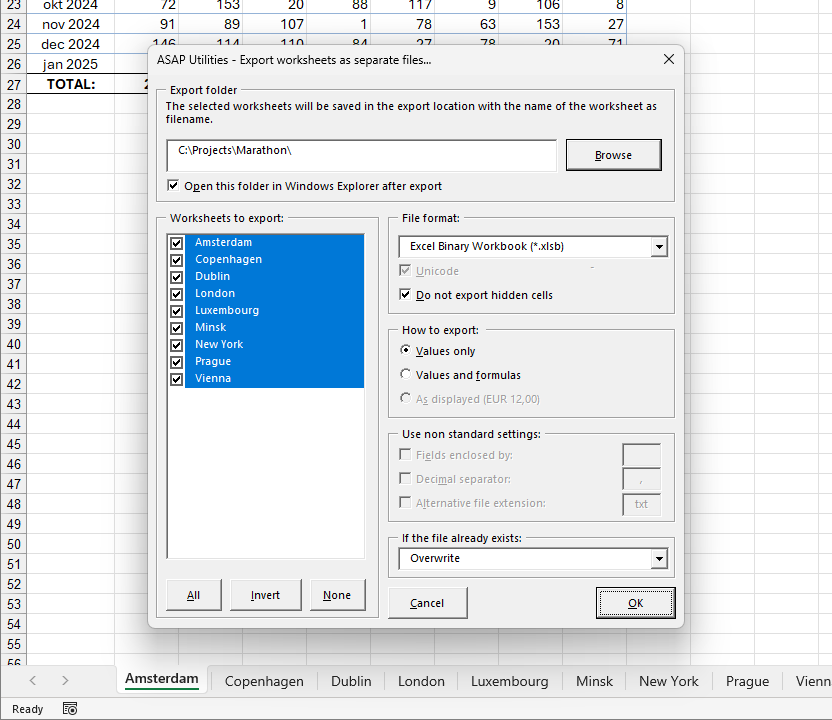
Example screenshot: 3 (Here's the English version.)
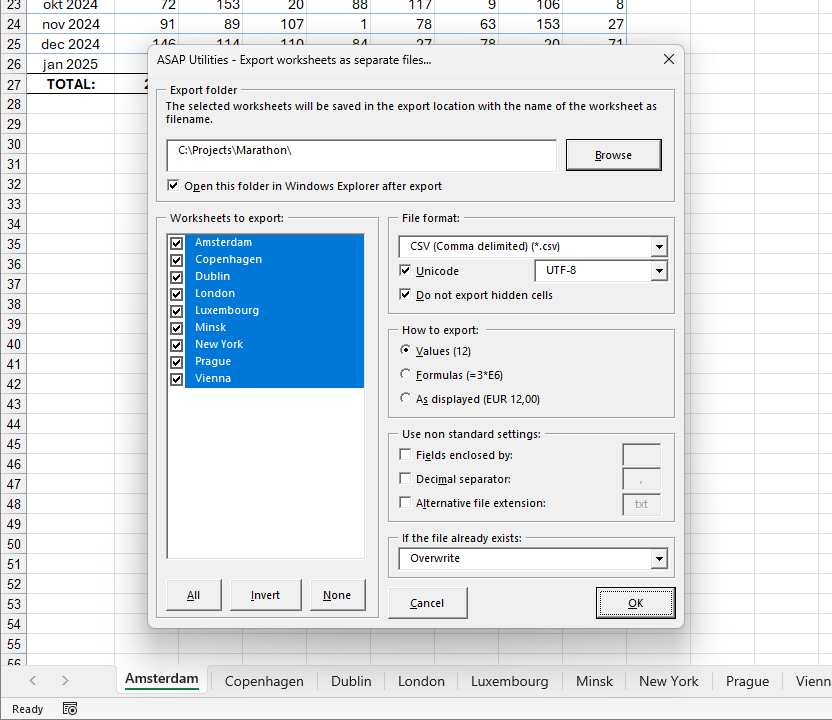
Example screenshot: 4 (Here's the English version.)
Additional keywords to help you find this tool:
export sheets, save each sheet as file, split workbook into separate files, export Excel tabs, save tabs as files, export selected worksheets, multiple sheet export, batch export Excel, export worksheets as files, workbook file splitter, save Excel sheets individually, create individual files from workbook
Tip:Alt+P for the previous tool.
Tip: Alt+N for the next tool.

Save Time in Excel. The Easy Way.
ASAP Utilities helps you save time and do what Excel alone can't.
You can get started right away. No training needed.
Most users start with a few tools. Many end up using ASAP Utilities daily.
Used by teams in 28,500+ organizations.
Get Started with ASAP Utilities
Start saving time in Excel with practical tools you can use right away.
-
No sign-up required.
-
-
Free 90-day trial