


Convert Hyperlinks to =HYPERLINK() Formulas in Selected Sheets
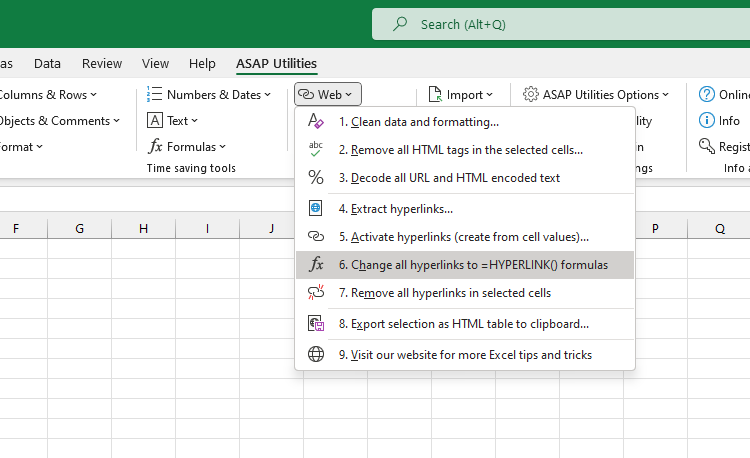
This tool converts all regular cell hyperlinks on your selected worksheets into =HYPERLINK() formulas.
The formula uses the same hyperlink address and visible text from the original hyperlink. However, any screentips attached to the original hyperlink will be lost because Excel's =HYPERLINK() formula does not support screentips.
This is useful when workbooks become slow because of too many regular cell hyperlinks or if you have reached Excel's limit for standard hyperlinks. Using =HYPERLINK() formulas can help improve performance and avoid this.
Note:
Cells where the hyperlink address exceeds 255 characters will be skipped, because Excel's =HYPERLINK() formula has a maximum limit of 255 characters for the link address.
Starting this tool
Specify a Keyboard Shortcut: ASAP Utilities › My Tools & Shortcuts › Manage My Tools & Shortcuts...
Additional keywords to help you find this tool:
Convert hyperlinks to formulas, Change hyperlinks to =HYPERLINK() formula, Replace hyperlinks with formulas, Transform hyperlinks into formula, Bulk convert hyperlinks, Make hyperlinks with =HYPERLINK(), Use =HYPERLINK() formula for links, Convert clickable links to formula, Formula-based hyperlinks, Hyperlink formula conversion, Fix slow workbook with many hyperlinks, Too many hyperlinks in sheet, Avoid hyperlink limit, Improve performance with hyperlinks, Convert many hyperlinks at once, Hyperlink formula instead of standard link, Hyperlink limit reached, Links causing slow file, Convert links without losing text
Tip:Alt+P for the previous tool.
Tip: Alt+N for the next tool.

Save Time in Excel. The Easy Way.
ASAP Utilities helps you save time and do what Excel alone can't.
You can get started right away. No training needed.
Most users start with a few tools. Many end up using ASAP Utilities daily.
Used by teams in 28,500+ organizations.
Get Started with ASAP Utilities
Start saving time in Excel with practical tools you can use right away.
-
No sign-up required.
-
-
Free 90-day trial