


Sort All Sheets...
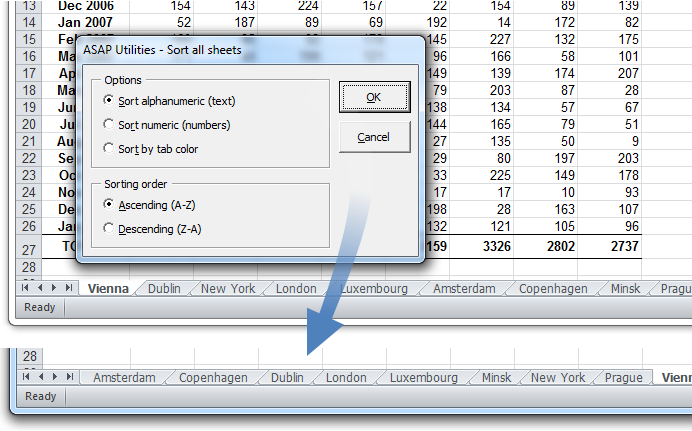
Easily organize your workbook by sorting all sheets in ascending or descending order based on the following:
- Alphanumeric order (A-Z or Z-A)
- Numerical order (1-9 or 9-1)
- Tab color
This tool provides a quick way to arrange your worksheets, making navigation easier and improving workbook organization.
Starting this tool
Click › Sheets › 7. Sort All Sheets...
Specify a Keyboard Shortcut: ASAP Utilities › My Tools & Shortcuts › Manage My Tools & Shortcuts...
Additional keywords to help you find this tool:
Sort worksheets in Excel, Sort sheet tabs alphabetically, Change order of Excel sheets, Sort Excel tabs by name, Arrange worksheets alphabetically, Sorting the tabs, Sort worksheets by tab color, Reorder multiple worksheets, Group and organize sheets in Excel, Sort sheets by number or color in Excel, How do I sort all sheets in Excel alphabetically?, How to sort worksheets in Excel without dragging tabs?
Tip:Alt+P for the previous tool.
Tip: Alt+N for the next tool.

Save Time in Excel. The Easy Way.
ASAP Utilities helps you save time and do what Excel alone can't.
You can get started right away. No training needed.
Most users start with a few tools. Many end up using ASAP Utilities daily.
Used by teams in 28,500+ organizations.
Get Started with ASAP Utilities
Start saving time in Excel with practical tools you can use right away.
-
No sign-up required.
-
-
Free 90-day trial