


Unprotect Multiple Sheets at Once...
Quickly unprotect multiple worksheets at once.
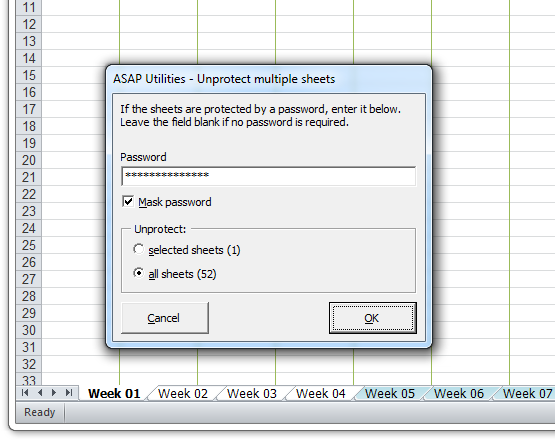
In Excel, you can only unprotect one sheet at a time, which can be slow and repetitive. This tool allows you to unprotect either selected sheets or all sheets in your workbook in one step, making the process much faster and easier.
If the sheets are protected with a password, you will need to enter the correct password to unprotect them.
Starting this tool
Specify a Keyboard Shortcut: ASAP Utilities › My Tools & Shortcuts › Manage My Tools & Shortcuts...
Additional keywords to help you find this tool:
Remove protection from multiple worksheets, Excel unprotect multiple sheets at once, Unlock multiple sheets simultaneously, Remove password protection from worksheets, Unprotect all sheets in an Excel workbook, Batch unprotect worksheets, Remove sheet protection from selected sheets, Unlock protected sheets at one go, Can I remove protection from all sheets in a workbook at the same time?
Tip:Alt+P for the previous tool.
Tip: Alt+N for the next tool.

Save Time in Excel. The Easy Way.
ASAP Utilities helps you save time and do what Excel alone can't.
You can get started right away. No training needed.
Most users start with a few tools. Many end up using ASAP Utilities daily.
Used by teams in 28,500+ organizations.
Get Started with ASAP Utilities
Start saving time in Excel with practical tools you can use right away.
-
No sign-up required.
-
-
Free 90-day trial