


Select All Cells Where Formulas Return an Error
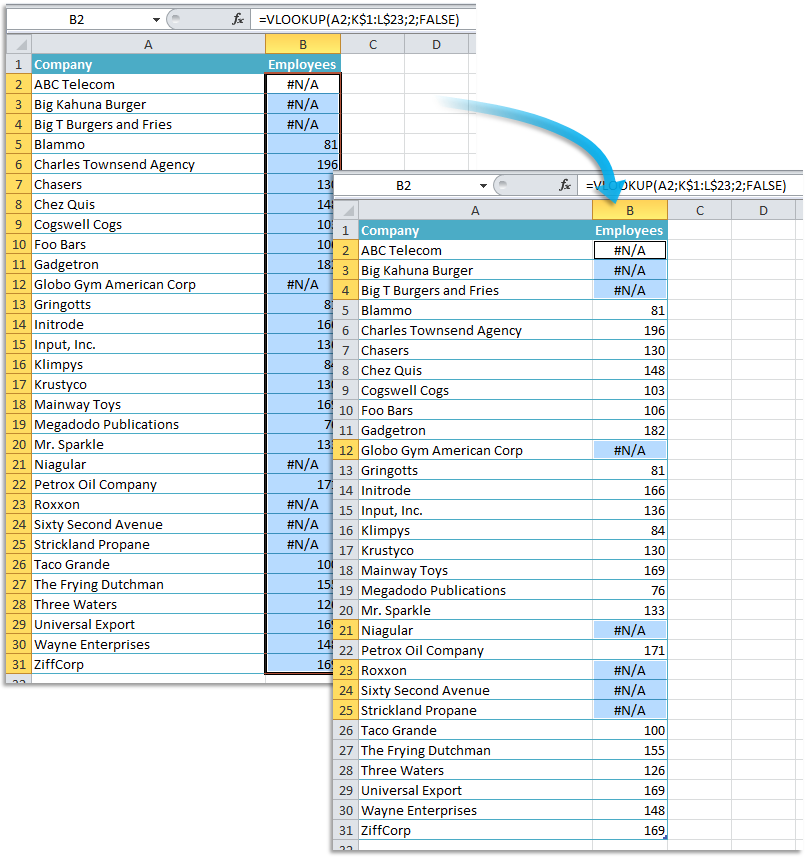
Quickly find and select all cells on your worksheet where a formula results in an error value.
This is useful for data quality control, helping you identify calculation issues and fix errors efficiently. It works with errors like #DIV/0!, #N/A, #VALUE!, #REF!, #NAME?, #NUM!, and #NULL!.
- If you use this tool frequently, add it to your 'My Tools & Shortcuts' menu and assign a shortcut for faster access.
- If some errors are unavoidable, use Excel's IFERROR() function to replace them with a more user-friendly message, or try our 'Replace Formula Errors with a Custom Message...' tool to have ASAP Utilities do that for you.
Starting this tool
Specify a Keyboard Shortcut: ASAP Utilities › My Tools & Shortcuts › Manage My Tools & Shortcuts...
Additional keywords to help you find this tool:
Find formula errors in Excel, Select cells with formula errors, Identify all formula errors in Excel, Locate cells where formulas return an error, Select all error cells, Find and highlight formula errors, Excel error checking tool for formulas, How do I select all cells with formula errors in Excel?, Is there a way to highlight all cells where formulas return an error?, Excel shortcut to find all cells with formula errors
Tip:Alt+P for the previous tool.
Tip: Alt+N for the next tool.

Save Time in Excel. The Easy Way.
ASAP Utilities helps you save time and do what Excel alone can't.
You can get started right away. No training needed.
Most users start with a few tools. Many end up using ASAP Utilities daily.
Used by teams in 28,500+ organizations.
Get Started with ASAP Utilities
Start saving time in Excel with practical tools you can use right away.
-
No sign-up required.
-
-
Free 90-day trial