


Find Columns Showing #### Errors (Too Narrow)
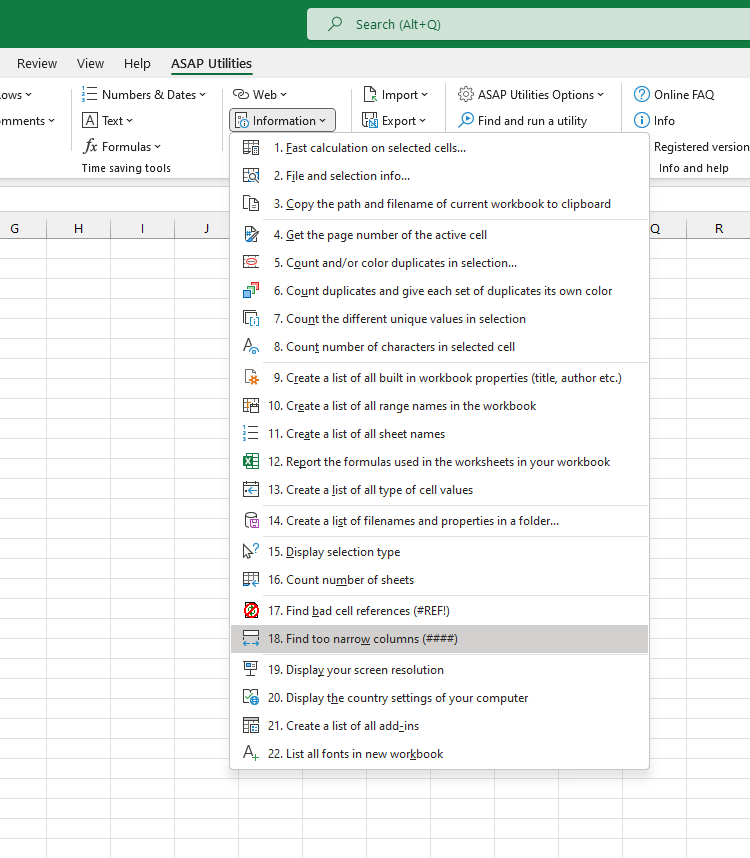
This tool checks your active worksheet for columns that are too narrow to display numbers or dates in full.
When a column is too narrow, Excel shows crosshatches (####) in the cell instead of the actual value.
This tool helps you quickly find those issues, so that you can fix them before printing, exporting, or sharing your file.
How it works:
- It scans your worksheet for cells displaying #### due to column width.
- When it finds a cell that is too narrow, it shows a message telling you which column and cell are affected and that cell is selected.
- You can then choose to continue searching or fix the issue immediately.
This is useful when you want to:
- Quickly find and correct columns with #### errors
- Ensure all numbers and dates are fully visible
- Prepare a clean and readable worksheet
Note:
This tool only detects problems with numbers and dates that can't be displayed in full due to narrow columns.
Cut-off text values are not detected, because Excel does not show an error when text is too long.
Starting this tool
Specify a Keyboard Shortcut: ASAP Utilities › My Tools & Shortcuts › Manage My Tools & Shortcuts...
Additional keywords to help you find this tool:
find #### error, column too narrow, Excel #### problem, identify ####, Excel display error ####, columns showing ####, Excel column width issue, detect ####, Excel sheet formatting errors, number hidden, date not displaying, Excel column overflow, find broken columns, Excel print preview ####
Tip:Alt+P for the previous tool.
Tip: Alt+N for the next tool.

Save Time in Excel. The Easy Way.
ASAP Utilities helps you save time and do what Excel alone can't.
You can get started right away. No training needed.
Most users start with a few tools. Many end up using ASAP Utilities daily.
Used by teams in 28,500+ organizations.
Get Started with ASAP Utilities
Start saving time in Excel with practical tools you can use right away.
-
No sign-up required.
-
-
Free 90-day trial