


Rename Active Sheet...
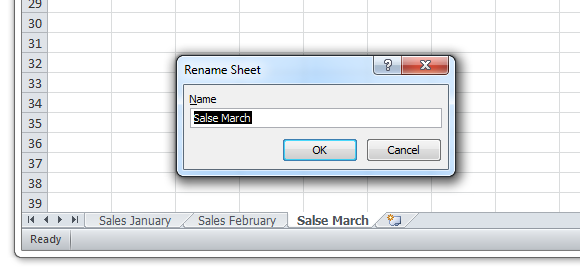
Quickly rename the active worksheet by entering a new name.
While you can rename a sheet by double-clicking it, the advantage of having this tool in ASAP Utilities is that you can assign a shortcut to it via 'My Tools & Shortcut Keys' for accessibility and even faster access.
Starting this tool
Click › Sheets › 3. Rename Active Sheet...
Specify a Keyboard Shortcut: ASAP Utilities › My Tools & Shortcuts › Manage My Tools & Shortcuts...
Additional keywords to help you find this tool:
Rename worksheet in Excel, Shortcut to rename a sheet, Change sheet name quickly, Change sheet label, Rename active worksheet with a shortcut, Sheetname, Quickly rename sheet tabs in Excel, Shortcut for renaming worksheets, Rename chart sheet, What is the best way to rename a sheet in Excel without using the mouse?
Tip:Alt+P for the previous tool.
Tip: Alt+N for the next tool.

Save Time in Excel. The Easy Way.
ASAP Utilities helps you save time and do what Excel alone can't.
You can get started right away. No training needed.
Most users start with a few tools. Many end up using ASAP Utilities daily.
Used by teams in 28,500+ organizations.
Get Started with ASAP Utilities
Start saving time in Excel with practical tools you can use right away.
-
No sign-up required.
-
-
Free 90-day trial