
The ASAP Utilities menu in Excel (English)
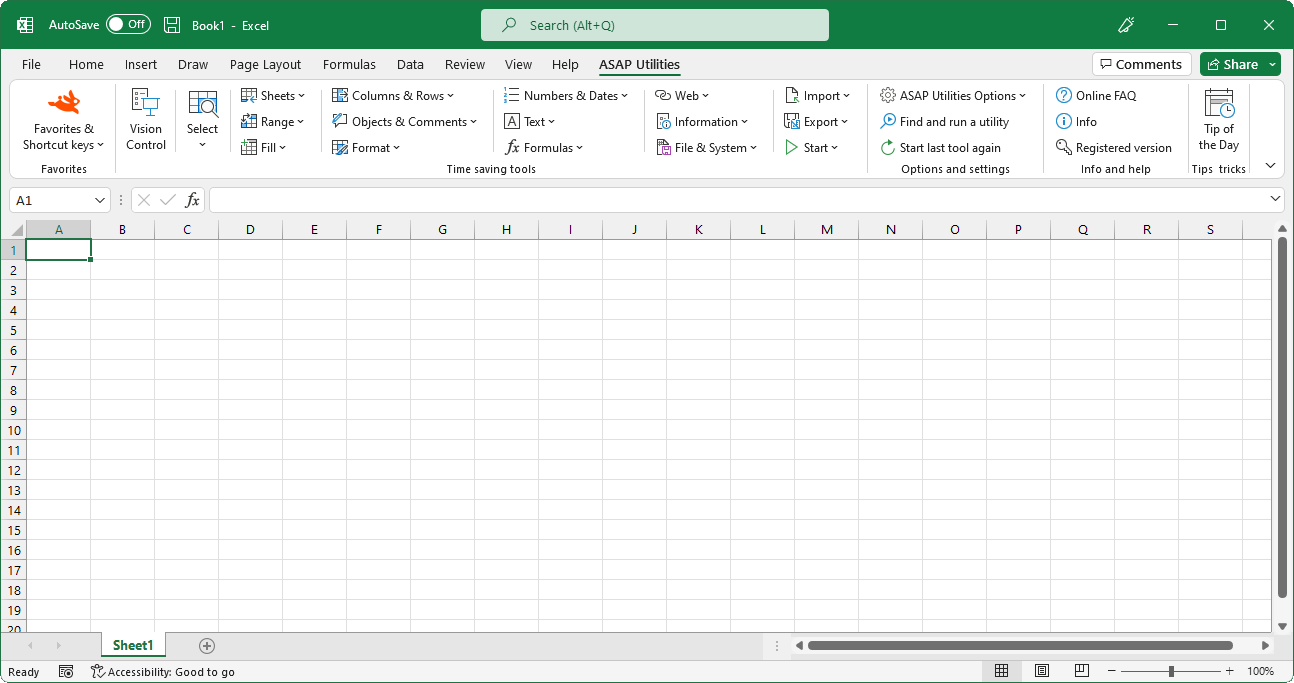
“Sheets” tools added to Excel
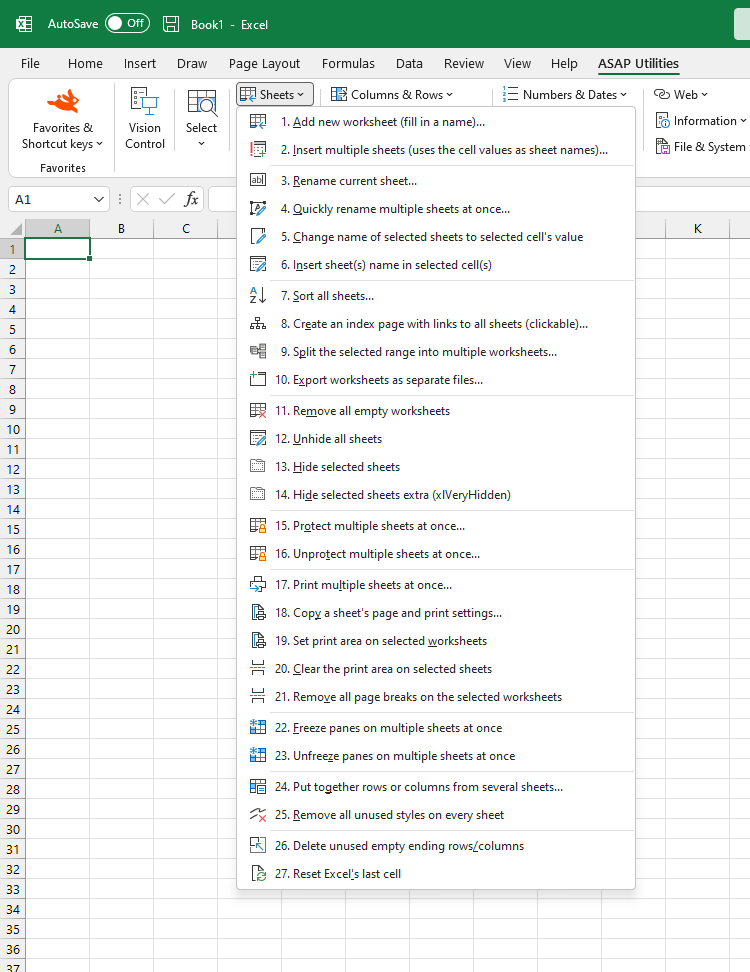
English (us) ⁄ Nederlands ⁄ Deutsch ⁄ Español ⁄ Français ⁄ Português do Brasil ⁄ Italiano ⁄ Русский ⁄ 中文(简体) ⁄ 日本語In the Excel menu choose: ASAP Utilities › Sheets
A selection of sheet tools- Add new worksheet (fill in a name)...
- Insert multiple sheets (uses the cell values as sheet names)...
- Rename current sheet...
- Quickly rename multiple sheets at once...
- Change name of selected sheets to selected cell's value
- Insert sheet(s) name in selected cell(s)
- Sort all sheets...
- Create an index page with links to all sheets (clickable)...
- Split the selected range into multiple worksheets...
- Export worksheets as separate files...
- Remove all empty worksheets
- Unhide all sheets
- Hide selected sheets
- Hide selected sheets extra (xlVeryHidden)
- Protect multiple sheets at once...
- Unprotect multiple sheets at once...
- Print multiple sheets at once...
- Copy a sheet's page and print settings...
- Set print area on selected worksheets
- Clear the print area on selected sheets
- Remove all page breaks on the selected worksheets
- Freeze panes on multiple sheets at once
- Unfreeze panes on multiple sheets at once
- Put together rows or columns from several sheets...
- Remove all unused styles on every sheet
- Delete unused empty ending rows/columns
- Reset Excel's last cell
Submenu screenshot
Excel with ASAP Utilities in its menu
« Return to the list of tools.
©1999-2024 ∙ ASAP Utilities ∙ A Must in Every Office BV ∙ The Netherlands
Empowering Excel Users Worldwide for 25 Years
Empowering Excel Users Worldwide for 25 Years