Home
Screenshots
Download
Buy Now
Search
About
Contact Us
Blog
Download
License Agreement
Download ASAP Utilities (recommended)
Upgrade to the latest version
Version history
Compare versions
Alternative download options
System requirements
Upgrade once a year (Home&Student ed.)
Download ASAP Utilities for Excel 97
Purchase
Buy Now
Payment Methods
Pricing and volume discounts
Sales, upgrades and Refunds Policy
When to buy a license
License Agreement
Example of the ordering process + help
What is it?
What is ASAP Utilities
Screenshots of ASAP Utilities
The primary goals of ASAP Utilities
About the author of ASAP Utilities
System requirements
Nederlands: Makkelijker werken in Excel
Examples of how to use ASAP Utilities
Why use it?
Top reasons to use ASAP Utilities
Features
Descriptions of all tools in ASAP Utilities
Search within the ASAP Utilities tools
Added worksheet functions
Fully expanded list of all menu items
Some screenshots of ASAP Utilities
Examples of how to use ASAP Utilities
Video tutorials
Testimonials
Testimonials, feedback from users
Reviews from the press
Clients, who uses ASAP Utilities?
User Guide
Download the User Guide
How to install ASAP Utilities
Detailed step by step installation
How to uninstall ASAP Utilities
Examples of how to use ASAP Utilities
Video tutorials
News
Latest news
RSS Feed
Receive our Newsletter
Unsubscribe from our Mailing List
Excel tips
Excel tips
Excel keyboard shortcuts overview
Headlines from the best Excel weblogs
Links to interesting websites
Recommended Excel books
Excel version screenshots
Support
1. FAQ: Questions and answers
2. Search within our website
3. Version history
4. Bug report guidelines
5. Sitemap
6. Contact us
Home
Features
"Columns & Rows" utilities
List of tools
A
description of all tools
in ASAP Utilities
Find a utility
Search in the descriptions
of all tools in ASAP Utilities
“Columns & Rows” utilities
Language:
In the Excel menu choose:
ASAP Utilities
»
Columns & Rows
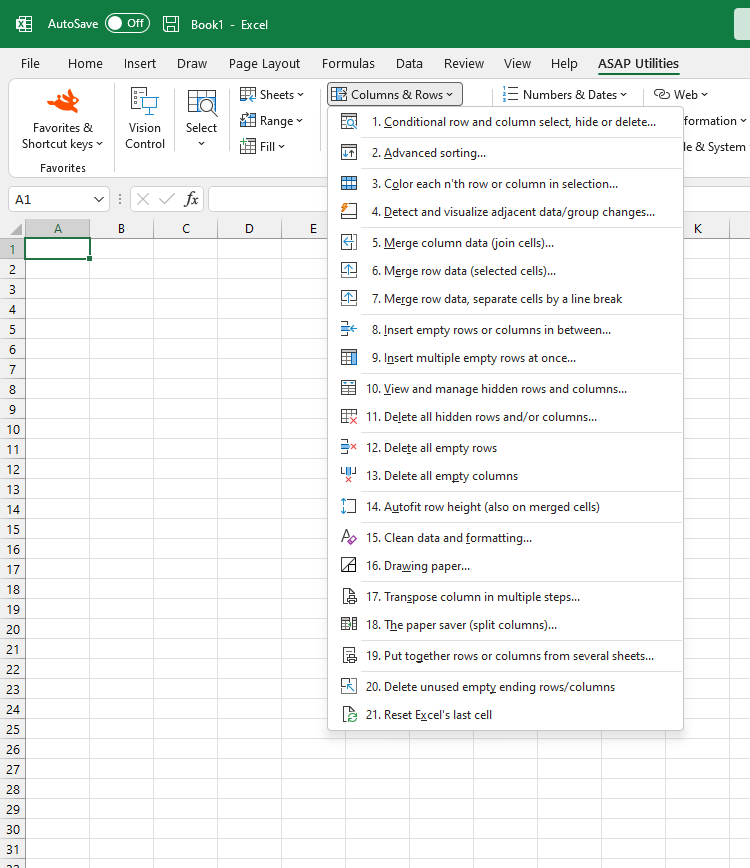
Conditional row and column select, hide or delete...
Color each n'th row or column in selection...
Detect and visualize adjacent data/group changes...
Merge column data (join cells)...
Merge row data (selected cells)...
Merge row data, separated cells by a line break
Insert empty rows or columns in between...
Insert multiple empty rows at once...
View and manage hidden rows and columns...
Delete all hidden rows and/or columns...
Delete all empty rows
Delete all empty columns
Delete unused empty ending rows/columns
Autofit row height (also on merged cells)
Clean data and formatting...
Drawing paper...
Transpose column in multiple steps...
The paper saver (split columns)...
Put together rows or columns from several sheets...
Delete unused empty ending rows/columns
Reset Excel's last cell
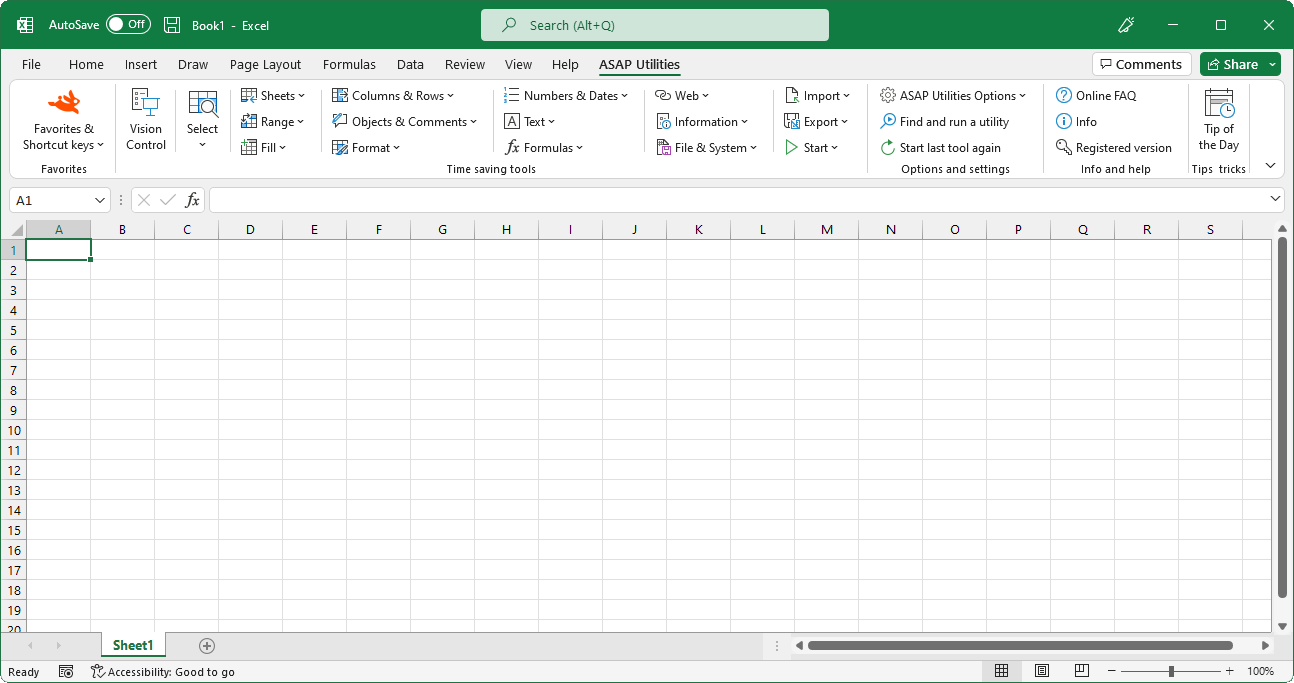
Submenu screenshot
Excel 2013, 2010 or 2007 with ASAP Utilities in its menu:
Excel 2003, 2002/XP or 2000 with ASAP Utilities in its menu:
« Return to the list of tools
.
Follow ASAP Utilities on Facebook
Home
Sitemap
Search
List of all utilities
Printer friendly page
^ Back to Top
© 1999-2013 -
Bastien Mensink
-
ASAP Utilities
-
A Must in Every Office BV
- The Netherlands
Connect with us and receive our "tip of the week" at: