


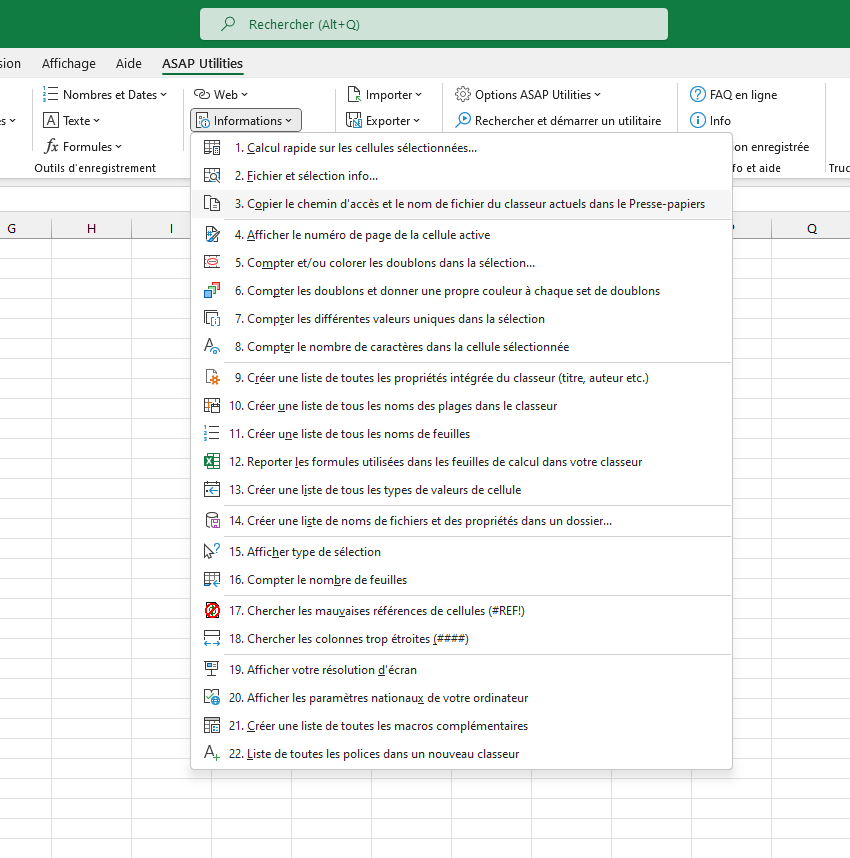
Copier le chemin d'accès et le nom de fichier du classeur actuels dans le Presse-papiers
Le chemin d'accès et le nom de fichier du classeur actuels seront mis dans le Presse-papiers. Vous pouvez alors les coller dans une autre application.
Cela peut par exemple être utile si vous travaillez sur un fichier et que vous vouliez informer un(e) collègue et lui dire par e-mail où il ou elle peut trouver le fichier.
Démarrer cet utilitaire
Spécifier un raccourci clavier: ASAP Utilities › Favoris et Touches de raccourci › Modifier vos outils favoris et touches de raccourci...
Astuce : Alt+P pour l'outil précédent.
Astuce : Alt+N pour l'outil suivant.

Gagnez du temps dans Excel. Tout simplement.
ASAP Utilities vous aide à gagner du temps et à faire des choses qu'Excel seul ne permet pas.
Vous pouvez commencer immédiatement. Aucune formation nécessaire.
La plupart des utilisateurs commencent avec quelques outils. Beaucoup utilisent ensuite ASAP Utilities au quotidien.
Adopté par des équipes dans plus de 28 500 organisations.
Essayez ASAP Utilities 9
Gagnez du temps dans Excel avec des outils pratiques prêts à l'emploi.
-
Aucune inscription requise.
-
-
Essai gratuit de 90 jours