
Excel tip: Pre-release: Five new languages; Chinese, Russian, Portuguese, Italian and Japanese
Date: 2 march 2016A pre-release of the new version 7.0 is now available for download.
 A total of 5(!) new languages for the user interface have been added:
- Chinese (Simplified) / 中文(简体)
- Russian / Русский
- Portuguese (Brazil) / Português do Brasil
- Italian / Italiano
- Japanese / 日本語)
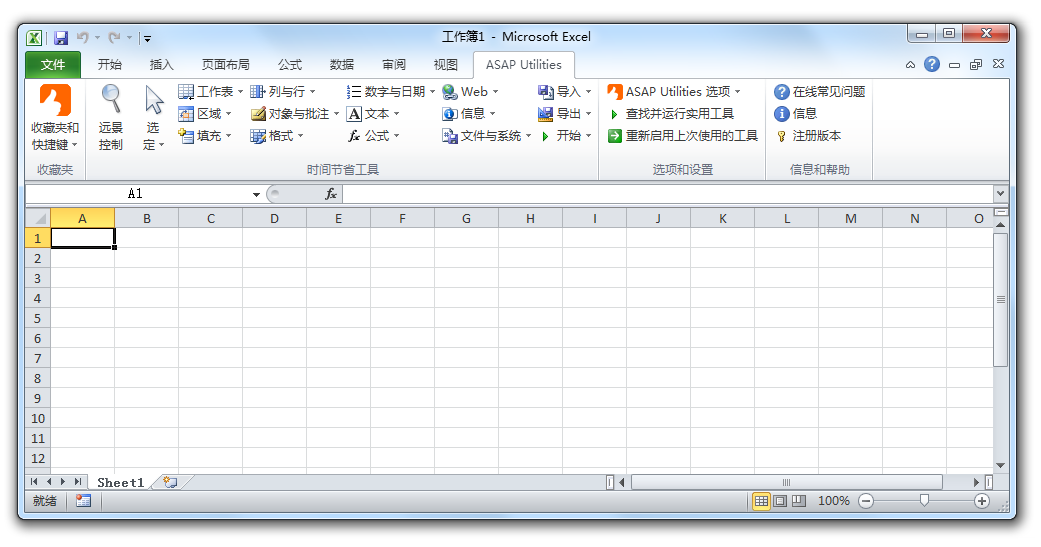
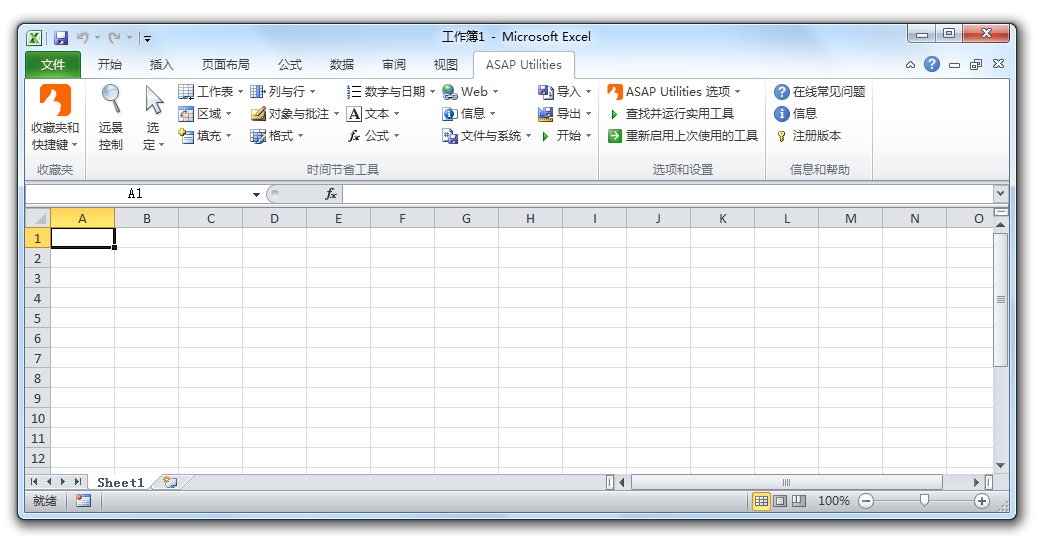
Chinese (Simplified) language added (中文(简体)).
All the tools are now also available in the Chinese language (中文(简体)).If you have the Chinese version of Excel, then on a new installation ASAP Utilities starts in Chinese
You can also change the language in the options dialogue:
ASAP Utilities » ASAP Utilities Options » ASAP Utilities options and settings...
ASAP Utilities » ASAP Utilities 选项 » 设置、语言和联系信息...
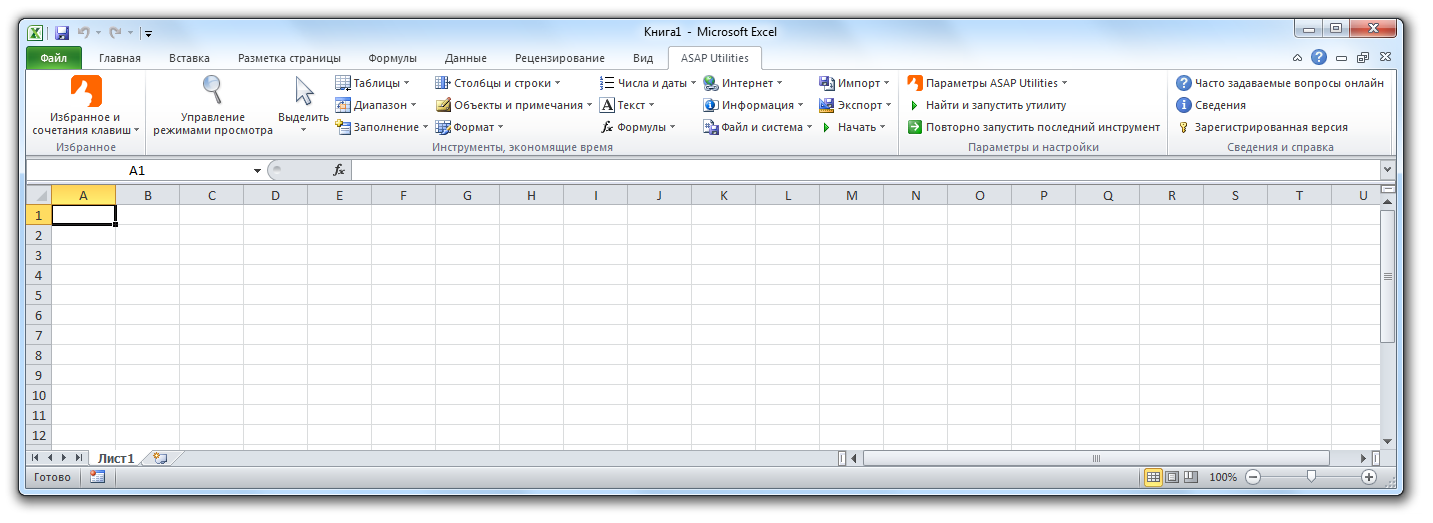
Russian language added (Русский)
All the tools are now also available in the Russian language (Русский).If you have the Russian version of Excel, then on a new installation ASAP Utilities starts in Russian.
You can also change the language in the options dialogue:
ASAP Utilities » ASAP Utilities Options » ASAP Utilities options and settings...
ASAP Utilities » Параметры ASAP Utilities » Параметры, язык и контактная информация...
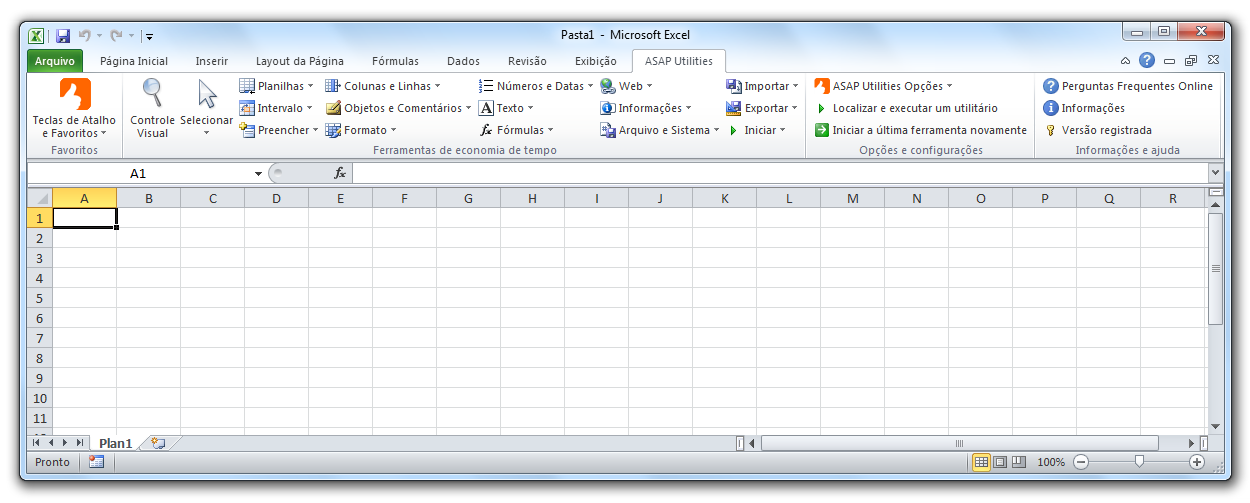
Portuguese (Brazil) language added (Português do Brasil)
All the tools are now also available in the Portuguese language (Português do Brasil).If you have the Portuguese version of Excel, then on a new installation ASAP Utilities starts in Portuguese
You can also change the language in the options dialogue:
ASAP Utilities » ASAP Utilities Options » ASAP Utilities options and settings...
ASAP Utilities » ASAP Utilities Opções » Definições, linguagem e informações de contato...
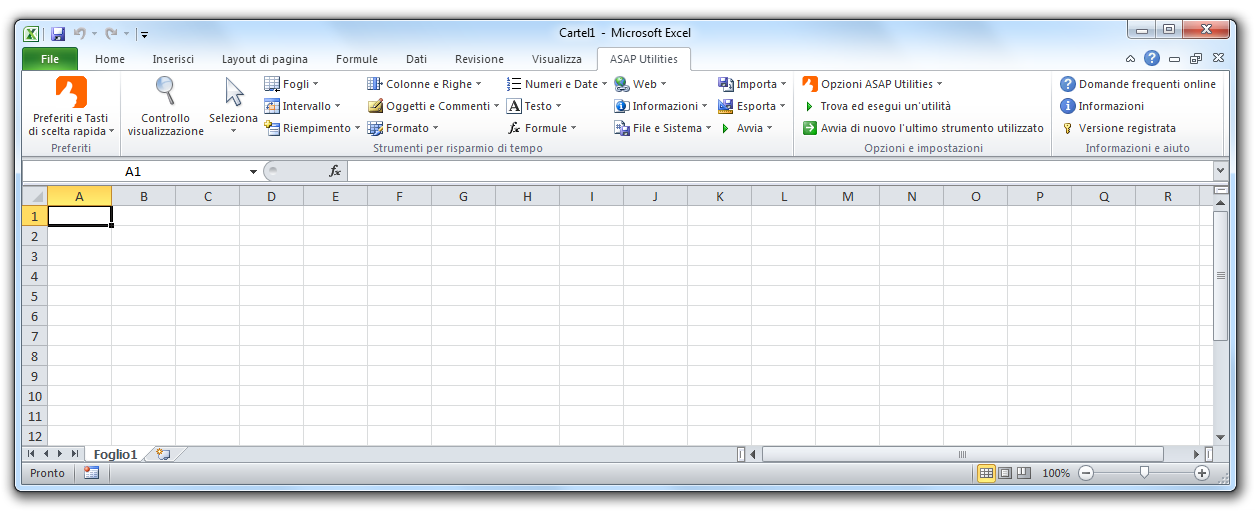
Italian language added (Italiano)
All the tools are now also available in the Italian language (Italiano).If you have the Italian version of Excel, then on a new installation ASAP Utilities starts in Italian.
You can also change the language in the options dialogue:
ASAP Utilities » ASAP Utilities Options » ASAP Utilities options and settings...
ASAP Utilities » Opzioni ASAP Utilities » Impostazioni, lingua e informazioni di contatto...
Japanese language added (日本語)
All the tools are now also available in the Japanese language (日本語).If you have the Japanese version of Excel, then on a new installation ASAP Utilities starts in Japanese.
You can also change the language in the options dialogue:
ASAP Utilities » ASAP Utilities Options » ASAP Utilities options and settings...
ASAP Utilities » ASAP Utilities オプション » 設定、言語、連絡先情報...
More information and download...
« back
©1999-2025 ∙ ASAP Utilities ∙ A Must in Every Office BV ∙ The Netherlands
🏆 Winner of the "Best Microsoft Excel Add-in" Award at the Global Excel Summit 2025 in London!
For over 25 years, ASAP Utilities has helped users worldwide save time and do what Excel alone cannot.
🏆 Winner of the "Best Microsoft Excel Add-in" Award at the Global Excel Summit 2025 in London!
For over 25 years, ASAP Utilities has helped users worldwide save time and do what Excel alone cannot.