
Het ASAP Utilities menu in Excel (Nederlands (Dutch))
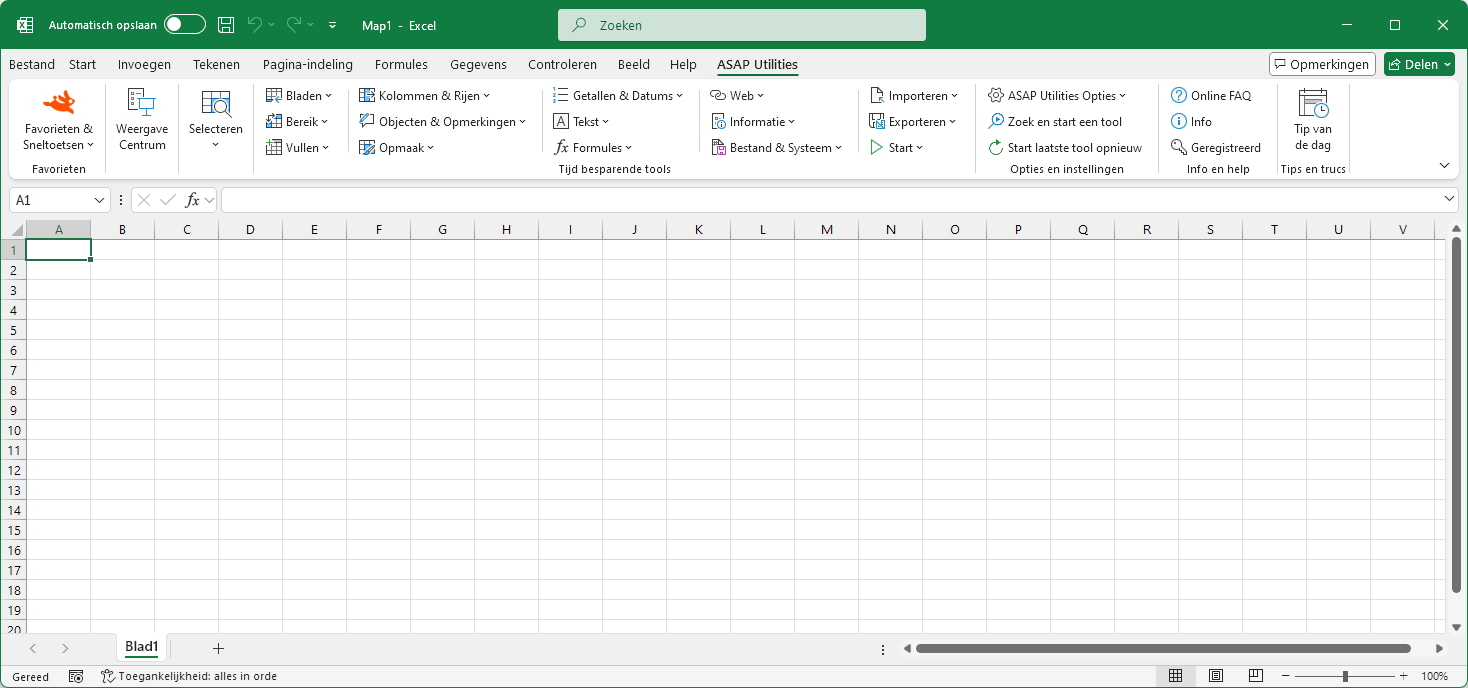
Plakken speciaal (met combinaties)...
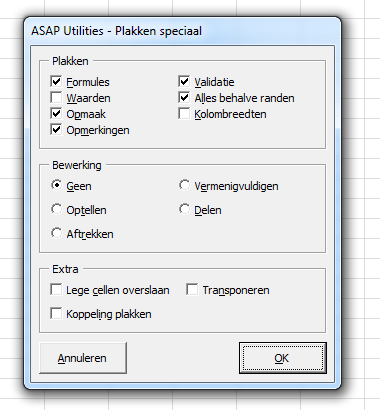
ASAP Utilities › Bereik › 9. Plakken speciaal (met combinaties)...Deze tool doet een "Plakken speciaal" waarbij een combinatie van de opties mogelijk is.
Bij het standaard "Plakken speciaal" dialoogvenster in Excel kunt u slechts één gedeelte per keer plakken. Met deze tool kunt u nu bijvoorbeeld in één stap zowel de waarden, opmerkingen en de opmaak plakken. Doorloop de volgende stappen om dit gebruiken:
1. Kopieer uw gegevensbereik (bijvoorbeeld met Ctrl+C).
2. Selecteer de cellen of het bereik waar u wilt plakken.
3. Start deze tool om de gegevens/eigenschappen te plakken. Standaard kunt u deze tool starten met de sneltoets Control+Alt+Y.
Screenshots
Deze tool starten
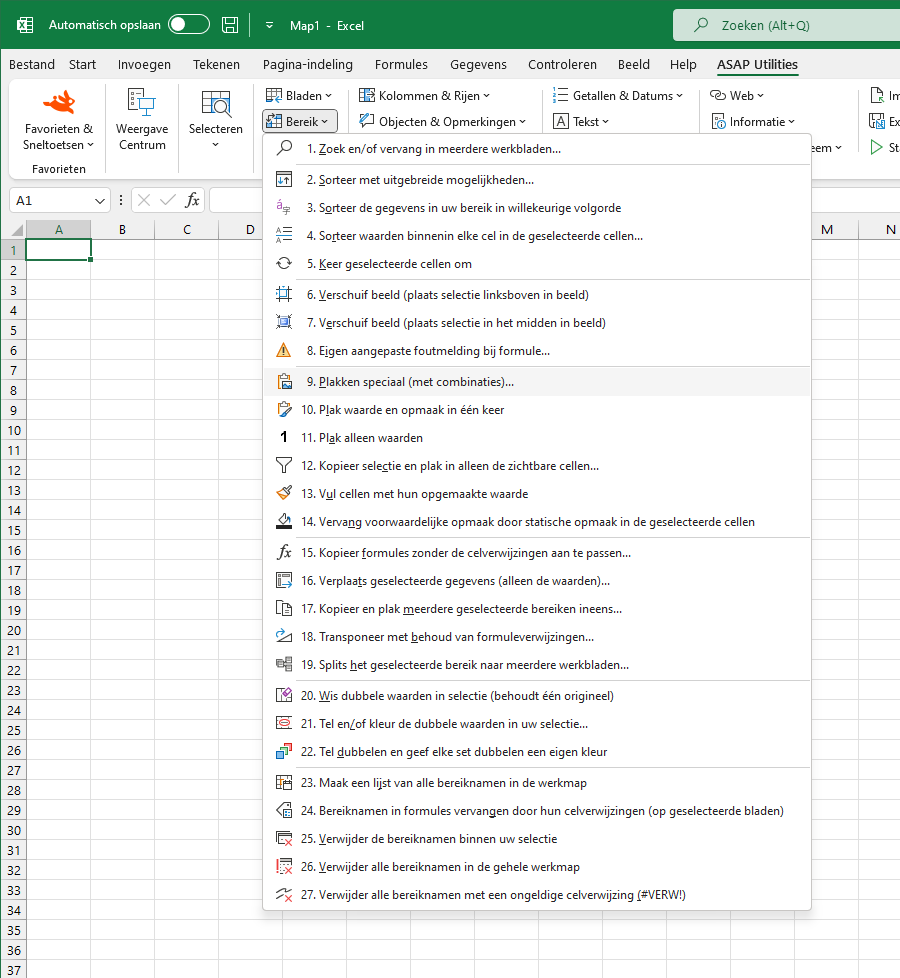
- Klik op ASAP Utilities › Bereik › 9. Plakken speciaal (met combinaties)...
- Sneltoets opgeven: ASAP Utilities › Favorieten & Sneltoetsen › Uw favoriete tools en sneltoetsen bewerken...
Kies hieronder uw taalvoorkeur
English (us) ⁄ Nederlands ⁄ Deutsch ⁄ Español ⁄ Français ⁄ Português do Brasil ⁄ Italiano ⁄ Русский ⁄ 中文(简体) ⁄ 日本語
| Eigen aangepaste foutmelding bij formule... |
©1999-2026 ∙ ASAP Utilities ∙ A Must in Every Office BV ∙ The Netherlands
🏆 Winner of the "Best Microsoft Excel Add-in" Award at the Global Excel Summit 2025 in London!
For over 26 years, ASAP Utilities has helped users worldwide save time and do what Excel alone cannot.
🏆 Winner of the "Best Microsoft Excel Add-in" Award at the Global Excel Summit 2025 in London!
For over 26 years, ASAP Utilities has helped users worldwide save time and do what Excel alone cannot.